Edward Boatman • Aug 4th
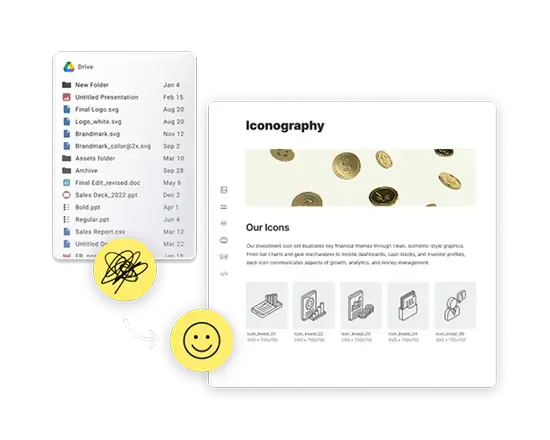
A retailer asks for updated product images before a launch. Your eCommerce manager needs the latest descriptions. Sales needs a sell sheet for a new wholesale partner. Meanwhile, the approved packaging image is somewhere in Google Drive, the product specifications are in a spreadsheet, and the descriptions were last updated in a Notion page.
None of these tools is necessarily broken. The problem is that the product information and the assets needed to sell that product are managed separately.
Google Drive works well for storing files and collaborating on documents. It becomes harder to manage when an eCommerce team needs to connect each product with its approved images, descriptions, specifications, sales materials, and market-specific information. At that point, moving everything to another folder-based storage platform may simply recreate the same problem in a different place.
A better Google Drive alternative for eCommerce should give product-led teams a central place to manage product information and the assets connected to it. It should also make that content easy to share with retailers, distributors, agencies, sales teams, and other partners.
Google Drive organizes information around files and folders. An eCommerce catalog is organized around products.
That difference may not matter when a company sells a small number of products. A team can create a folder for each product, place the images inside it, and track the remaining information in a spreadsheet. Everyone knows where things are because the catalog is still manageable.
The workflow becomes less reliable as the company adds products, variants, markets, retailers, and content formats.
One product might need several pack shots, a lifestyle photo, a wholesale description, an eCommerce description, and a product specification sheet. Different sizes, flavors, colors, or regional versions create even more content.
According to Baymard Institute’s product-page research, retailers should generally provide at least three to five images per product to give shoppers enough visual information. That means even a modest catalog can quickly create hundreds or thousands of product-related assets.
Folders can hold those files, but they do not reliably answer questions such as:
When the answers depend on one person remembering the folder structure, marketing becomes the help desk for the entire product catalog.
The right alternative should solve the underlying workflow problem, not just offer a different place to upload files.
An eCommerce product is more than an image or a row in a spreadsheet. It includes information that helps internal teams, partners, and consumers understand what is being sold.
Depending on the business, that information may include:
These details should be tied to the product itself. Someone looking at a product record should not have to open a spreadsheet, copy a SKU, search Google Drive, and then guess which image is correct.
This connection also helps protect product data quality. GS1, the organization behind widely used product-identification standards, describes complete and accurate product data as essential for collaboration between brands and trading partners. Its data-quality framework focuses on governance, education, and product-attribute auditing.
Folder structures force teams to decide on one way to organize content. A product might logically belong under its brand, category, collection, market, or launch campaign, but a file can only live in one primary folder unless the team creates copies or duplicates.
A product catalog offers more flexible organization. Teams can filter products using structured information such as category, status, state, brand, or variant. The same product can then appear in different collections without duplicating the underlying content.
This matters when one team thinks in SKUs, another thinks in product families, and a retailer only wants to see the products available in its market.
Finding the correct content internally is only half the problem. eCommerce teams also have to distribute it.
A shared Google Drive folder may work for a close agency partner. It can be more difficult for distributors, retailers, franchisees, or wholesale customers who do not understand the company’s internal folder structure.
External users should be able to open a link, understand what they are looking at, and find the product content they need without training. Ideally, the company should be able to update the source without emailing a new folder link every time something changes.
The goal is not merely to share files. It is to help the recipient build an accurate product listing.
Not every partner should see every product.
A beverage company may have different product lines available through different distributors. A retail brand may sell certain collections only in specific regions. Cannabis brands must often manage different products and content requirements by state.
A strong product-content system should let the brand create focused views for each audience. Rather than sending an entire master catalog and asking the recipient to determine what applies, the brand can provide only the relevant products and approved supporting content.
The phrase “Google Drive alternative” can point to several different types of software. Choosing the wrong category may leave the original workflow problem unsolved.
Best for: Storing files and collaborating on documents.
Potential limitation: Product information and assets remain organized through folders and separate documents. Switching to another cloud storage provider may recreate the same workflow problem in a different system.
Best for: Organizing, finding, approving, and distributing product images and other visual content.
Potential limitation: Some digital asset management platforms offer limited support for structured product information such as SKUs, specifications, variants, and market availability.
Best for: Managing detailed product data across a large catalog and distributing that information to other systems.
Potential limitation: Traditional product information management platforms may not offer a visual, brand-friendly way to present product assets to retailers, distributors, and other partners.
Best for: Keeping product records, approved media, and partner-facing content connected in one place.
Potential limitation: Teams should confirm that the platform supports their catalog size, distribution needs, eCommerce tools, and product-data requirements.
A traditional PIM may be appropriate for a large enterprise managing complex product data across many systems and markets. A DAM may be enough when the main problem is organizing product photography and giving partners access to approved files.
Many growing brands fall somewhere in the middle. They need more structure than Google Drive provides, but do not need a lengthy enterprise PIM implementation nor the feature bloat. Their immediate problem is keeping product descriptions, images, and partner-facing content together.
Not every eCommerce team needs to move away from Google Drive.
It may still be sufficient when:
Google Drive can also continue to serve a different purpose after a company adopts a DAM or product content system. Teams may still use Google Docs to draft descriptions and Google Sheets to prepare imports. The approved product record and final media can then live in the system used for distribution.
The goal is not to eliminate Google Drive. It is to stop treating a general-purpose file system as the final source for every eCommerce workflow.
The need for a new system often becomes clear when the product catalog and its assets start moving in different directions.
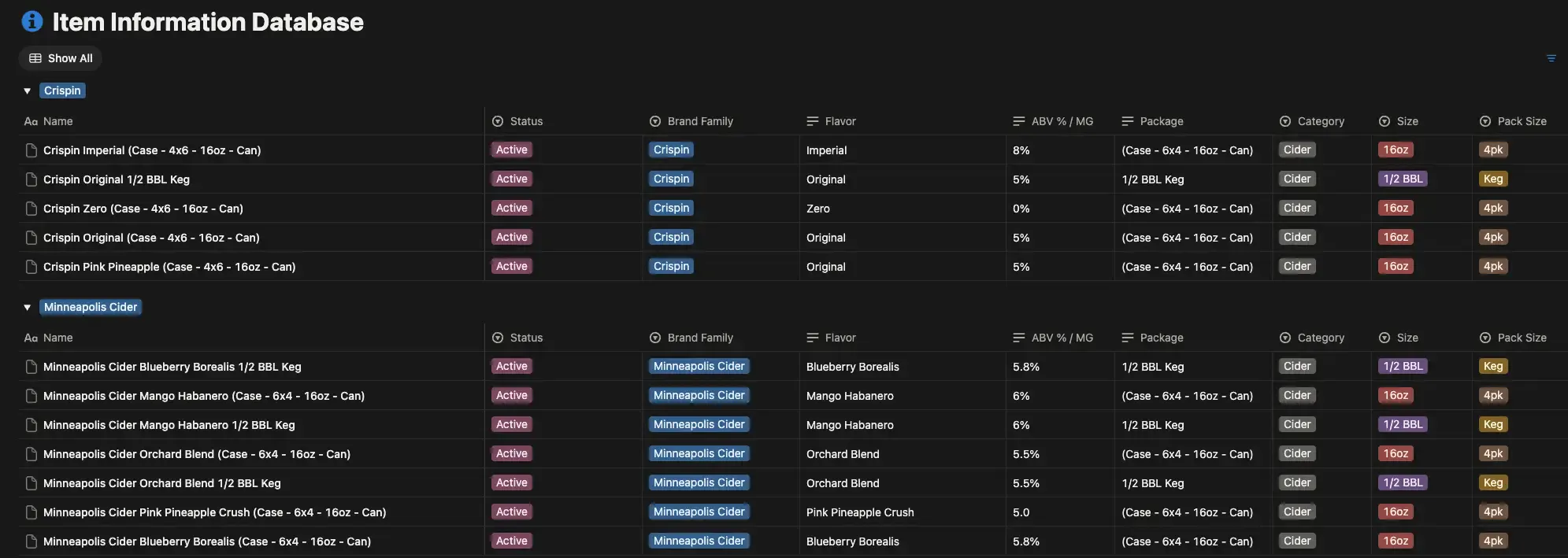
Minneapolis Cider Company previously managed its product catalog in Notion while using Lingo for digital assets. This gave the team two sources to maintain: one for product information and another for the content connected to each product.
Source: New Information Database at Minneapolis Cider Company
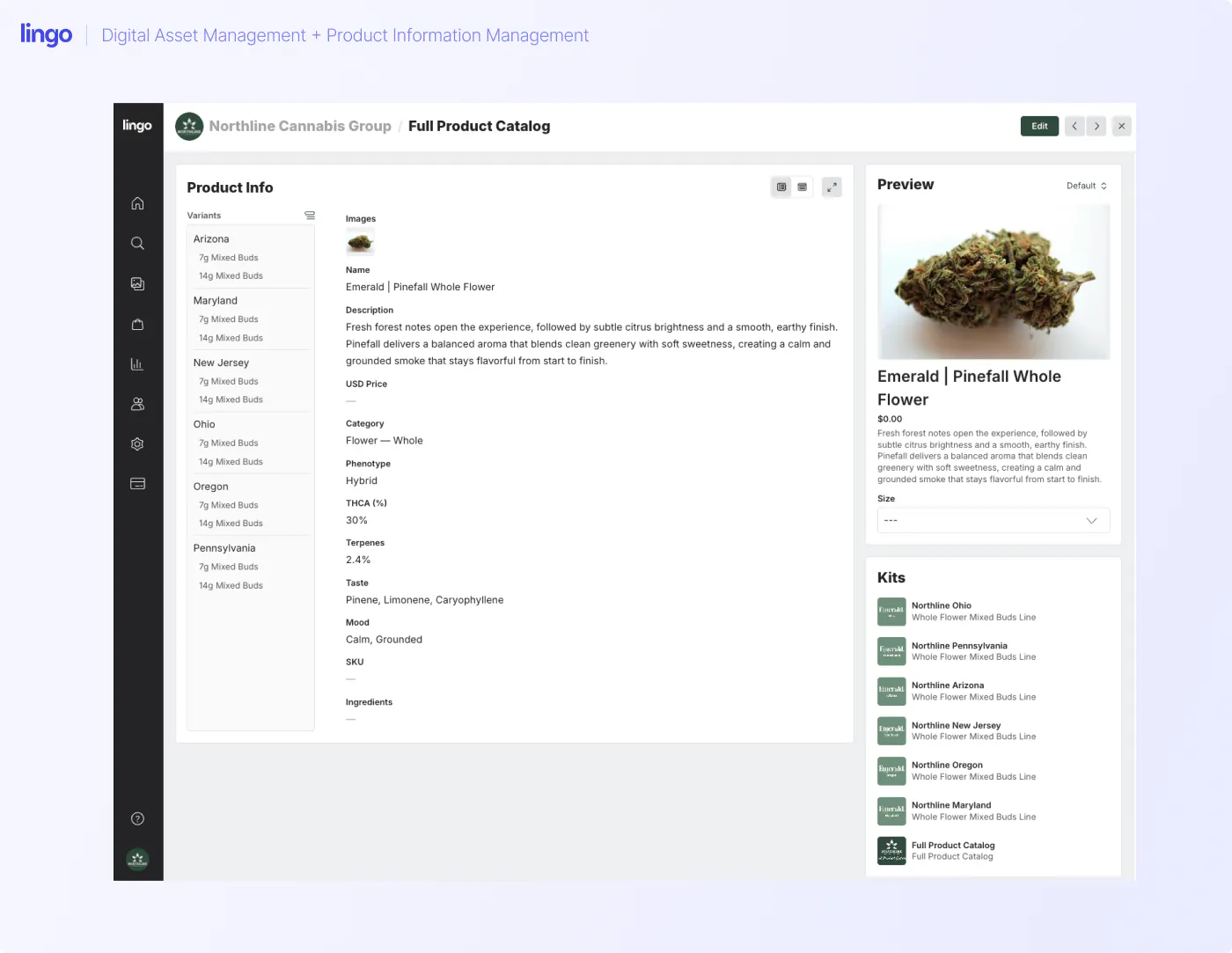
With Lingo’s Product Catalog, the company can now curate its products alongside the approved assets already stored in Lingo. Each product can include the information someone needs to understand and sell it, while keeping the related media close at hand.
The company can display those products inside a Lingo Kit or share an individual product directly. Instead of sending distributors to a separate Notion document and asking them to locate the matching files elsewhere, Minneapolis Cider Company can give them a link where the product information and assets are presented together.
Onyx and Ivory came to Lingo with product information that had been managed in spreadsheets and other disconnected locations. The company needed to organize its digital assets while also connecting those files to product descriptions and metadata.
Its Lingo cannabis product catalog now brings the products, supporting information, and related assets into the same system.
The company can also place selected products into different Kits. For example, Onyx & Ivory splits their content into two separate brands: Onyx in one Kit and Ivory in another. Each recipient sees the relevant product information and downloadable media without sorting through the company’s entire catalog.
That same setup can support wholesale and retail relationships. Partners responsible for listings in Dutchie, Jane, Weedmaps, or another eCommerce system can pull the approved information and assets from the appropriate Product Kit.
Lingo is designed for teams that have outgrown Google Drive, Dropbox, SharePoint, spreadsheets, or scattered documents but do not want a heavy enterprise rollout.
Its Product Catalog connects structured product information with the digital assets stored in Lingo. Teams can then place products into visual Kits that include additional context, instructions, or educational content.
This creates three practical layers:
This setup is useful for marketing and product teams that distribute content to retailers, wholesalers, agencies, sales teams, or other external partners. It also works well for brands that need to separate product content by state, market, brand, or audience.
A migration does not have to begin with a complete folder cleanup. Start by defining what a usable product record should contain.
List every place where product content is currently managed. This might include Google Drive, spreadsheets, Notion, an eCommerce platform, and folders maintained by an agency.
You are looking for duplicate sources, missing information, and areas where nobody is sure which version is approved. The goal is to have a full list of where your products live before you import assets from Google Drive.
Decide what makes one product different from another. Consider whether each size, color, flavor, package type, or market-specific version needs a separate record.
Use stable identifiers such as SKUs or GTINs when available. These make it easier to distinguish similar products and reduce confusion between variants.
Lingo already has common product structures available out of the box for some retail situations. For example, cannabis brands have different defined needs if they are creating an edible versus a tincture. Product types allow you to pre-set these variations as well as identify things like a market (e.g. for cannabis, this might be the states you operate in), all before you create your first cataloged product.
Start with the information partners regularly request. Avoid retaining product fields just in case you might want it, and input what is required for others to do business with you.
A useful first version may include the approved product name, SKU, description, availability, and the assets required for a product listing. Regulated or technical products may require additional fields.
Connect each product to its current packshots, lifestyle images, documents, and other approved media.
This is also the time to identify outdated packaging, duplicates, and files with unclear names. The final catalog should make the correct asset easy to recognize without relying on tribal knowledge.
Think about who receives the content and what each group actually needs.
A retailer may need listing images and descriptions. A distributor may also need sales materials. An internal sales team might need education and positioning alongside the product record.
Build the shared experience around the recipient’s task rather than the company’s internal organization.
Assign responsibility for approving product information and assets. Decide what should happen when packaging changes, a product is discontinued, or a new market begins carrying it.
A centralized system is only trustworthy when someone is responsible for keeping it current.
Before evaluating software, ask:
The answers should reflect the workflow you need today and the level of complexity you realistically expect. Buying an oversized platform can be as disruptive as staying with an undersized one.
If your product details live in a spreadsheet or Notion page while the supporting assets live in Google Drive, moving to another cloud folder will not reconnect them.
Start by building a catalog where each product includes the approved information and media needed to represent it accurately. Then give retailers, distributors, sales teams, and other partners a clear way to access the right selection.
Lingo is currently offering to build that starting structure for you. Provide your existing product listings, and the Lingo team will create a centralized Product Catalog at no cost.
The best alternative depends on the problem you need to solve. Cloud storage may be enough if you only need file sharing. A DAM or combined product content system is a better fit when product information, approved images, and external distribution need to stay connected.
Google Drive organizes content through files and folders rather than structured product records. As the catalog grows, teams may struggle to connect the correct descriptions, SKUs, variants, and approved media with each product.
A DAM can replace Google Drive as the main source for approved eCommerce assets. Google Drive can still be used for working documents, while the DAM organizes and distributes final product media.
A DAM primarily manages digital assets such as product photography, videos, and documents. A PIM manages structured product data such as SKUs, specifications, descriptions, and variants. Some platforms combine parts of both workflows.
Yes. A shareable product catalog can give retailers and distributors access to approved product information and downloadable assets. Audience-specific collections can prevent partners from seeing irrelevant products.
Usually, yes. Each distinct product should have a record connected to its approved information and media. Whether each variant needs a separate record depends on how the company identifies, sells, and distributes those variants.
Lingo is developing a Shopify integration as part of its product-content roadmap. Teams should check the current availability with Lingo before planning an automated Shopify workflow.