Edward Boatman • Jul 6th
The cannabis industry has a digital identity problem. You spend months perfecting a strain, dialing in the terpene profile, and designing packaging that pops, only to have it show up on a retail menu as a low-resolution thumbnail with a misspelled title. This is the reality of menu remediation. Many brands are currently fighting this battle using a massive Google Spreadsheet that acts as a graveyard for product data. It is static, it is prone to human error, and it cannot hold the high-resolution assets your brand needs to thrive.
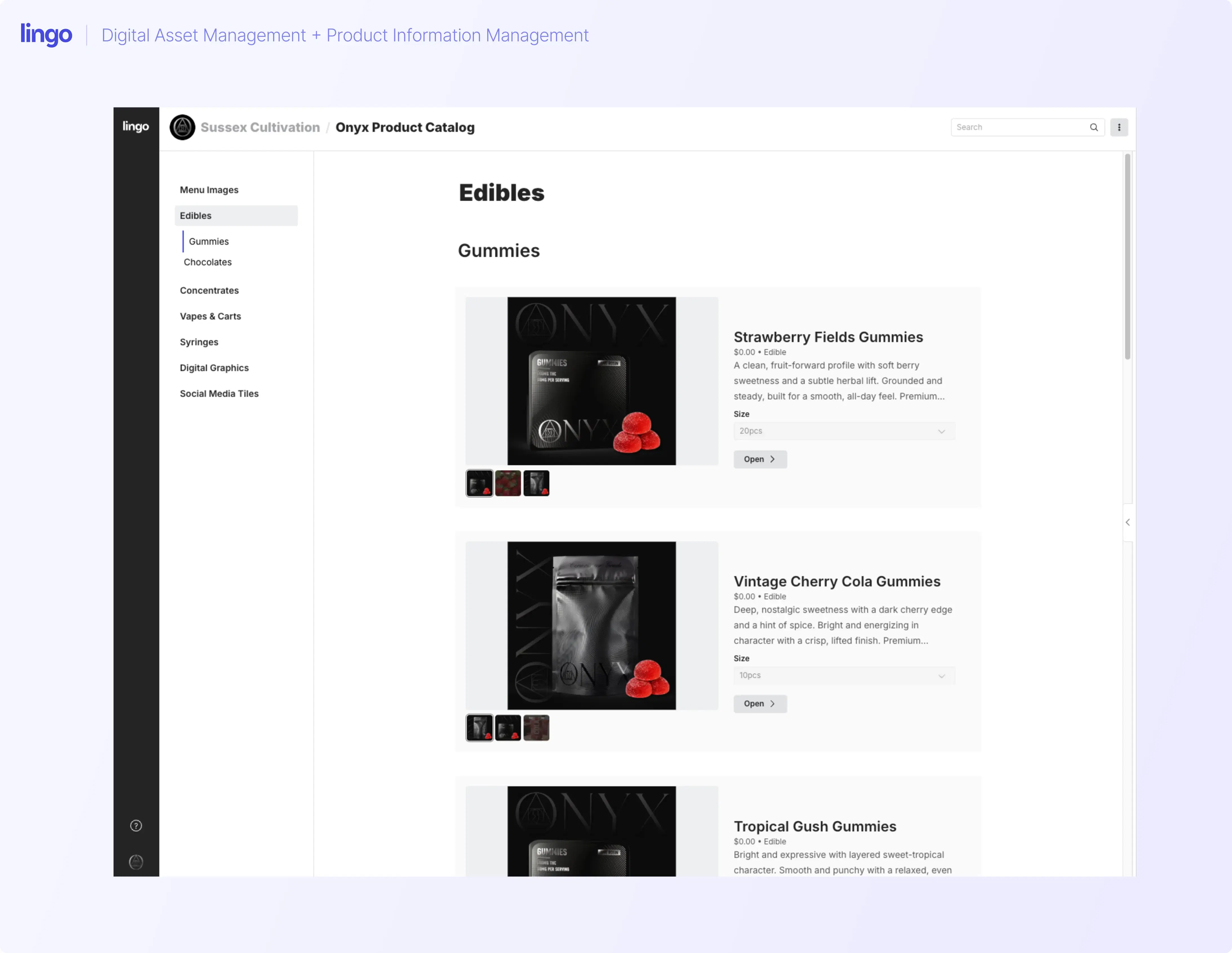
Many of the largest cannabis brands already use Lingo as a Digital Asset Management (DAM) solution to store their professional photography and brand assets. In many cases, they have been hacking the system by housing critical product catalog details within the notes aligned to those images.
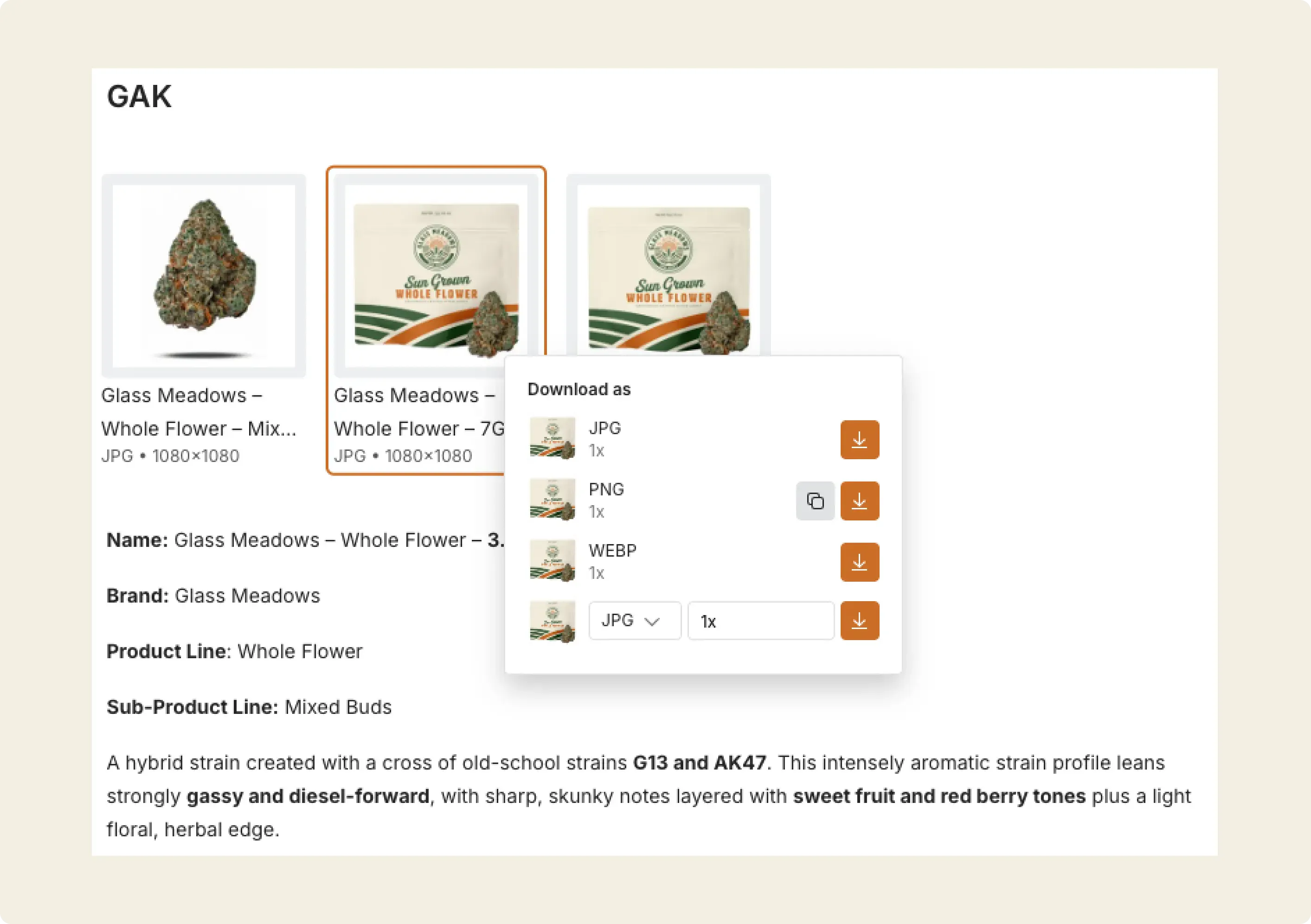
We are now taking that workflow to the next level by elevating those static notes into a structured product information management solution, or PIM. By transforming your catalog into a centralized source of truth, you can organize product listings into market-specific Kits or link them directly to integrations like Shopify and eventually your retail POS platforms.
The Lingo PIM is designed to move you out of those spreadsheets and into a centralized command center. By building a structured product catalog that tethers your technical data directly to your visual assets, you ensure that the version of your brand the consumer sees is the version you intended. Here is how you build that foundation from the ground up.
Before you can fix your menus, you have to build the logic that governs your brand. This starts with defining the hierarchy of how your products actually exist in the physical world. This includes:
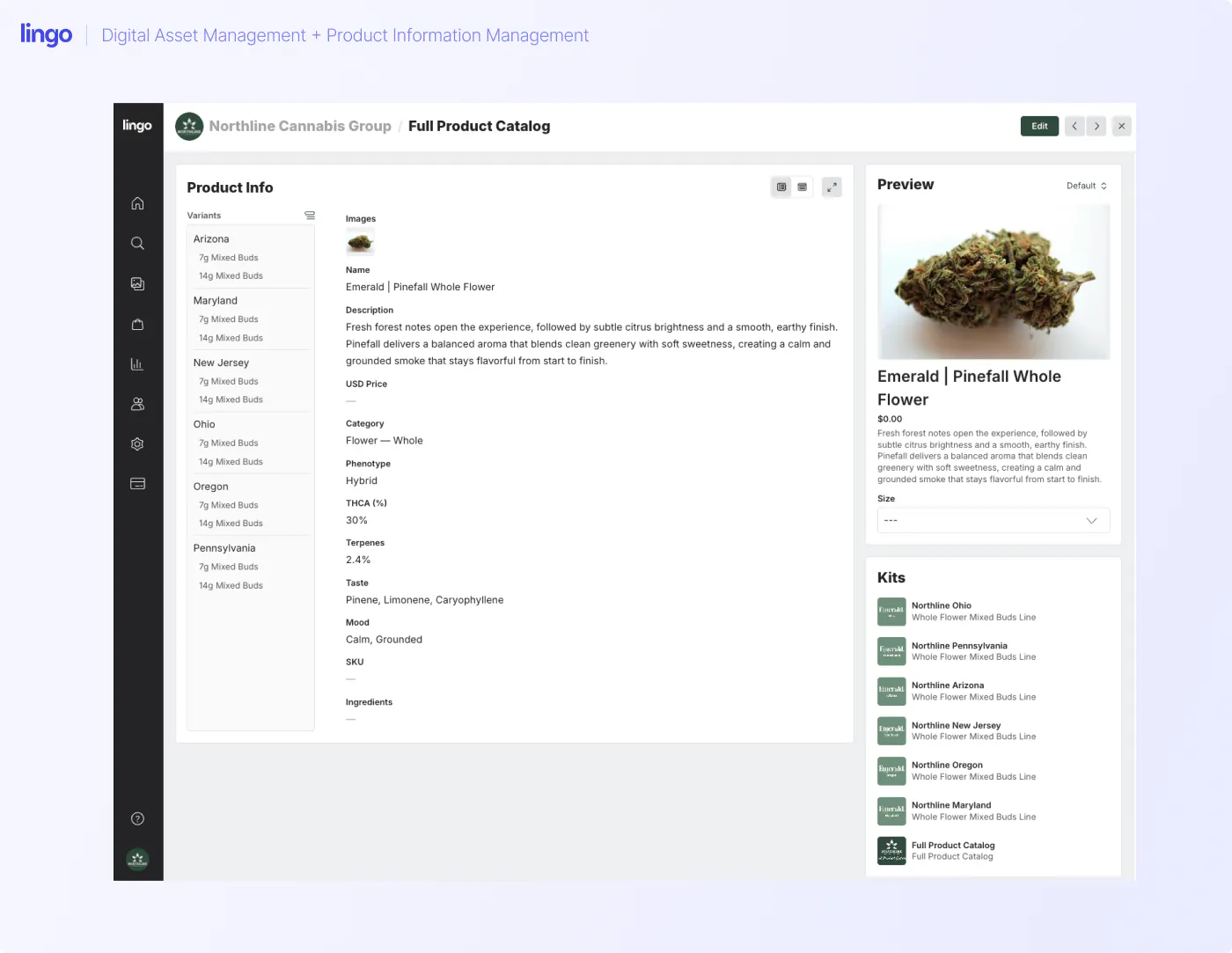
Knowing these items in advance will help with your set-up of Lingo. Every product listing will have a default listing that can apply to all products. That said, every product listing can have a different variant, say for different markets or different weights, and for every variant, you can override a default value.
For example, the default description, category, phenotype, taste, and mood are unlikely to change market to market and product size to product size. But, the SKU, pricing, product images, and terpene profiles could change in each market so you can easily override the default.
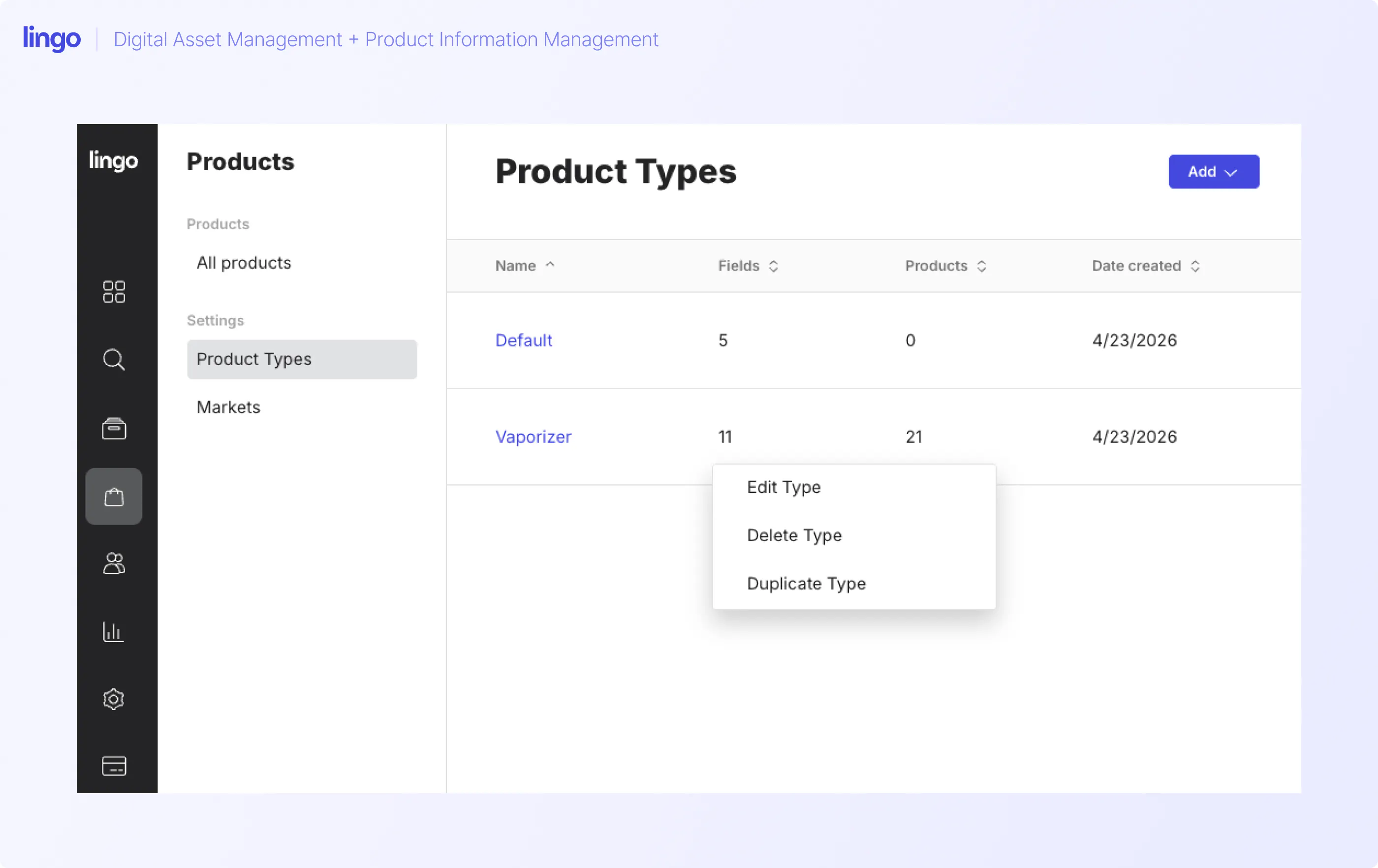
In the initial setup of the PIM, your first task is to establish your product types. This is more than just a labeling exercise as it can set the foundation for your data entry.
The settings for product types do have some created presets. For cannabis companies, these presets include:
This represents the mechanical skeleton of your data and all products mapped to these product types will culminate under each category. If you do not define these clearly, you are essentially leaving it up to a random budtender or a third-party point of sale system to guess where your product belongs. When you set this up correctly in Lingo, you are ensuring that your product lands in the right bucket on every digital menu, every single time. All product types are editable should you need to remove product types you do not sell, or need to make category modification.
You’ll want to establish the markets your products are sold in and the options found in each market. This helps with overrides—images, pricing, product names, etc. change based on the market the product is being sold. This also builds out the skeleton for you on how to create your default product listing but also market-specific updates. Also, since product listings can be appended to a specific Kit, it helps you to create mini-product catalogs by state, by brand.
Once the structure is in place, you move into the actual creation of your product catalog. This is where you transform notes into actionable data. This starts with the product defaults. It allows you to apply one broad description to every state and every variant before you apply specific product-level updates.
One of the most powerful mechanical advantages of the Lingo PIM is the ability to set global defaults while still allowing for regional overrides. In the cannabis space, your brand story, such as the inspiration behind a strain or its flavor profile, usually stays the same regardless of where it is sold. By entering this information into the default fields, you create a baseline that populates across your entire product catalog. You only have to write that perfect product description once.
That said, the PIM acknowledges that a one size fits all approach does not work for technical data or compliance. When you move into a specific market like Ohio or Massachusetts, you may find that the THC ranges or state-specific requirements differ from your ‘default’ market.
Within the product entry, you can navigate to specific market views to override the default data with localized information, or to hide a product listing altogether. This ensures that when a dispensary in Detroit pulls your data, they get the Michigan-specific language, while your partners in Boston see the Massachusetts version.
When you add a new product, you’re creating the golden record for that SKU. You start by entering the primary name, description, and brand. In the past, brands would often put this information in a notes field on an image, but that data is functionally trapped.
In the PIM, you are inputting this into machine-readable fields. This means the title you choose here is the title that will eventually push out to every menu. It eliminates the version control issues where dispensaries might vary preferred naming conventions, or menus with incorrect details and descriptions.
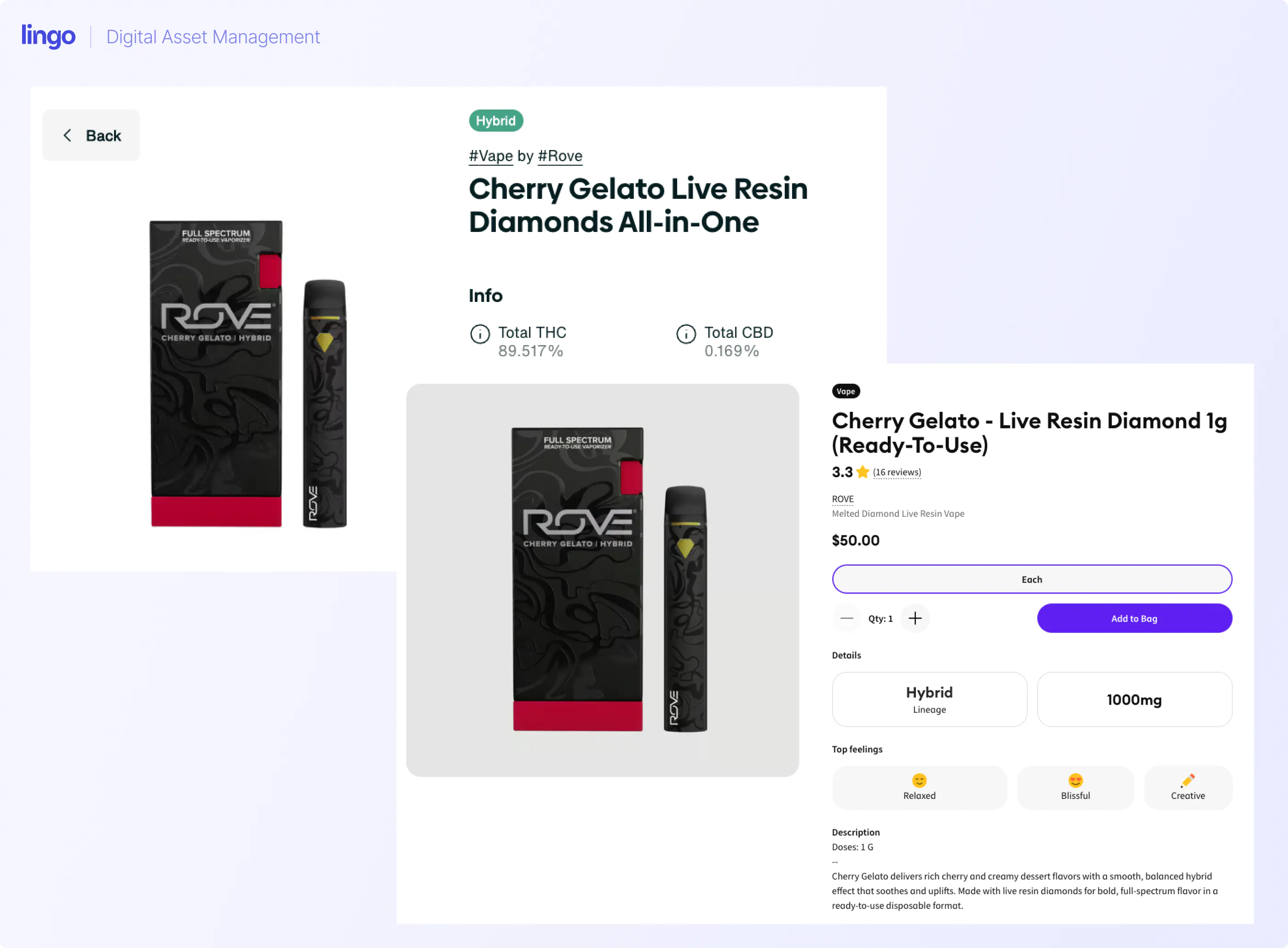
This is where you get into the meat of the cannabis-specific data. Lingo allows you to build out your product details with the pre-provided fields, or with those you create on your own. These are the details that modern cannabis consumers are actually looking for, but they are also the details that retailers almost never have the time to type in manually.
By populating these fields in your products catalog, you are doing the heavy lifting for your retail partners. When you create your product listings at scale, you can apply regionally-specific adjustments. Those regionally specific adjustments also will power the PIM placements inside your Kits, which is where your retail dispensaries and POS providers will connect to.
You are providing a complete package of data that makes your product look more professional and informative than the competitor sitting next to it on the shelf.
The most critical mechanical step in the process is attaching your digital assets directly to the product data. Instead of sending a dispensary a link to a folder of 50 images and hoping they pick the right one, you link the specific high-resolution lifestyle shots and state-mandated packaging photos to the product entry in the PIM. This creates an unbreakable bond between the data and the visuals. When a retailer pulls your product information, the correct images are already glued to the correct SKU in the correct market. And, if you have any updates to make over time, by updating the listing in your PIM, that data flows directly into your Kits.
The real power of a PIM is not just in how it stores data, but in how it protects your brand as you grow into new markets.
For companies operating in multiple states, compliance is the ultimate hurdle. Packaging requirements and universal regulations change at the state line. In Lingo, you can distribute your product listings into kits that are gated by market. This means your team in New Jersey only has access to assets and descriptions that are compliant in New Jersey. You are essentially building a compliance firewall. You no longer have to worry about a Maryland warning label accidentally showing up on a New York menu because the system will not allow the wrong asset to be selected for that market.
The ultimate goal of building this PIM is to move away from manual uploads entirely. Because your data is now structured and organized, it is ready for the era of automation.
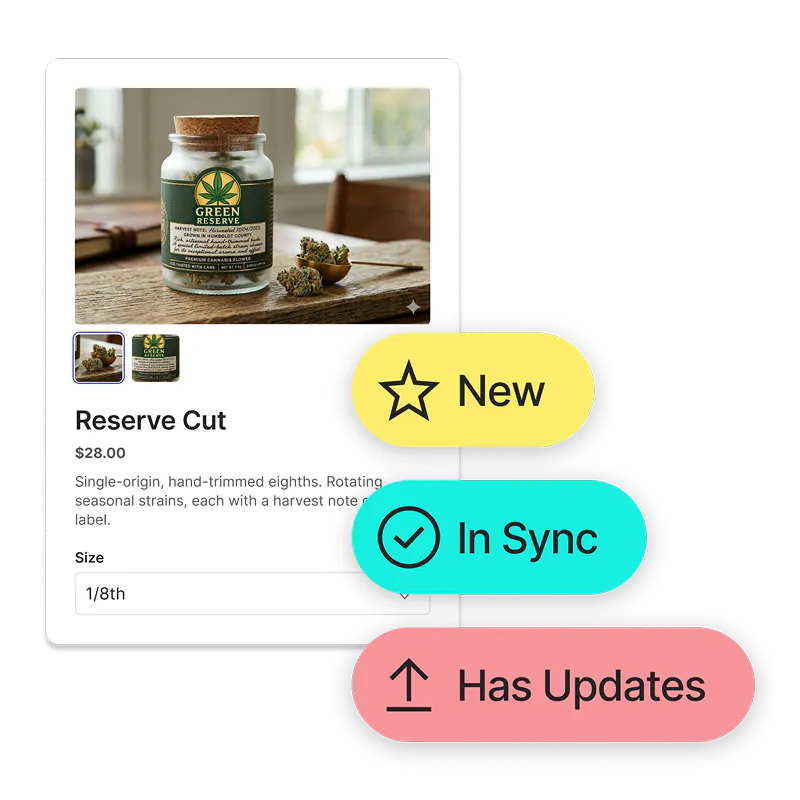
Lingo has adopted Shopify as the blueprint for this workflow. The vision is simple: you update a terpene percentage or a product photo inside your Lingo PIM, hit sync, and a webhook tells the point of sale systems, like Jane or Dutchie, to update their records. You aren't just fixing one menu: you are fixing every menu in your network at the same time. You are finally taking back ownership of your brand identity from the fragmented silos of the cannabis retail world.
The Lingo PIM is currently in its Beta phase as we continue to refine these integrations and workflows. We are looking for forward-thinking brands that are ready to move past the spreadsheet era and help shape the future of cannabis data management.
If you are ready to take back control of your digital shelf, you can begin by contacting us today to join the PIM Beta. We will meet with you to walk through your specific operational needs and activate the PIM tools for your brand. Together, we can stop the cycle of menu remediation and start building a more accurate, automated industry.