Edward Boatman • Nov 5th
“Can you send me the latest logo?”
“Where are the campaign photos?”
“Is this still the right product description?”
Each request is simple. The challenge is making sure the answer stays useful after you send it. A distributor might save a photo to a desktop. A franchise owner might reuse last season's one-pager. Meanwhile, your brand team has updated the source.
Better brand asset sharing starts with a maintained place where partners can find approved files, guidance, and product information. Then it needs a clear process for handling changes.
This guide walks through that setup in Lingo, from organizing assets in Kits and Portals to helping the right people act on product updates.
Imagine your team sends a retailer an approved product image in June. In August, the packaging changes. Your designer uploads the new image, and operations updates the package dimensions.
The retailer still has the June file.
Nobody chose to use outdated content. The original handoff simply had no clear path for what came next.
A shared drive or spreadsheet may be a useful starting point. As you review your process, ask whether partners can find the current file, understand how to use it, and tell when something has changed. That typically is the point where partners get hung up. A cloud file storage system is not meant for notifications and it disconnects how to use the file from the actual file.
You do not need to replace every tool at once. Start with the part of the handoff process that causes the most confusion or breaks down the fastest. That might be a product launch, a seasonal campaign, or the repeated request for brand guidelines.
Before you build a brand portal for distributors or franchise locations, list the jobs it should help them complete.
Can a retailer find the right product photo and description for a listing? Can a franchise owner find the approved materials for next month's promotion? Use those tasks to decide what belongs in each Kit distributed to the third-party locations. Kits categorize specific content while Portals allow you to take several Kits and distribute it with one link.
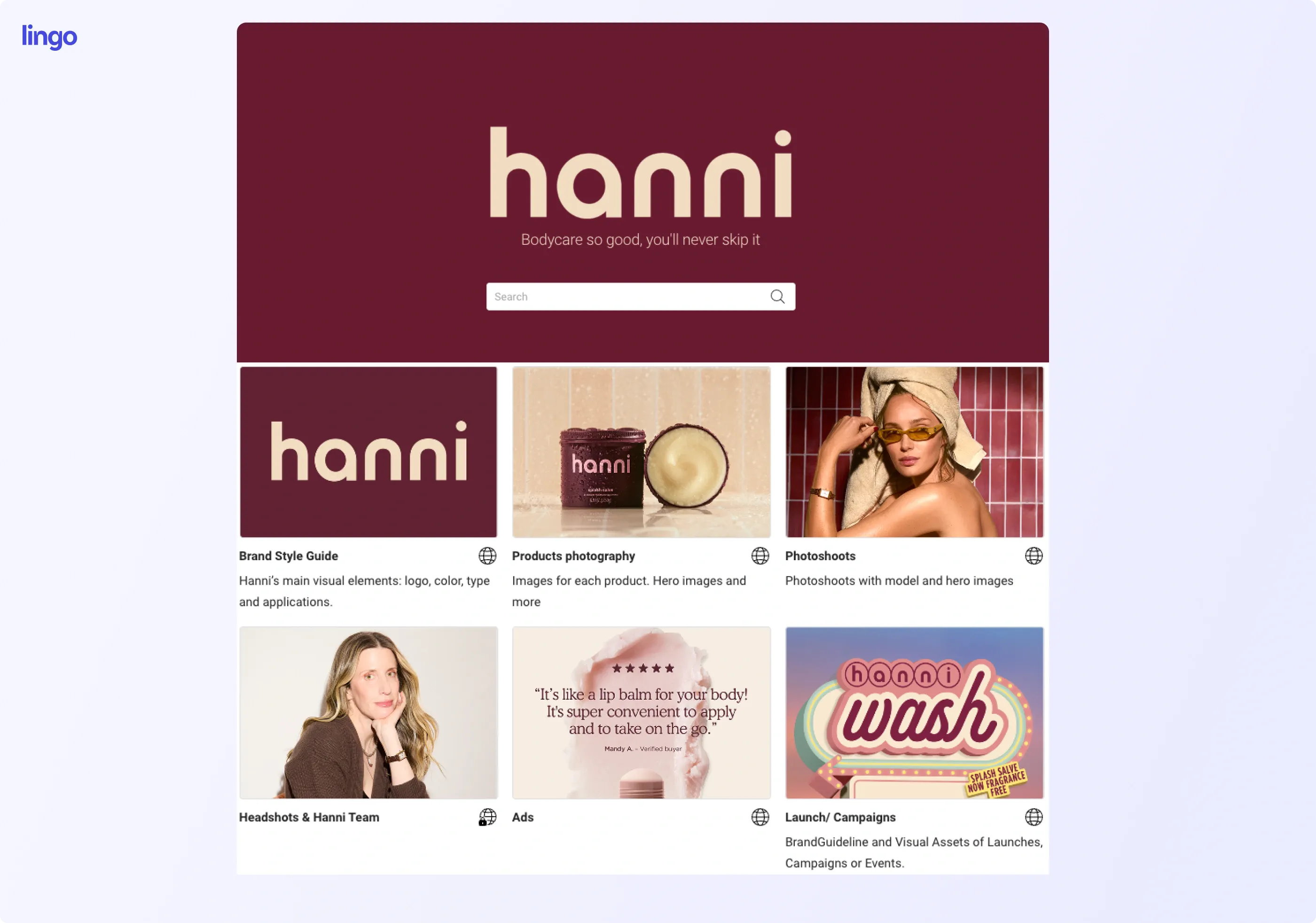
Start with the materials people need to represent your brand:
Give each file enough context to be useful. A logo may need a note about background colors. A campaign image may need a start date, an end date, or guidance on where it can appear.
“Approved” should mean something clear. Decide who reviews content before it becomes available to partners.
Build around the differences between your audiences.
A distributor may need product images, descriptions, pack sizes, and shipping details specified by brand. A franchise location may need local campaign materials, signage, and instructions for adapting an approved message.
For example, a franchise promotion could share the same main image across all locations while using different files for local offers. Keep the shared brand guidance easy to find, and make each location's materials easy to identify.
The aim is to give people a useful selection they can navigate without help.
Lingo's structure connects stored assets with the way you share them. The Library holds assets. Kits organize those assets with useful context. Portals bring Kits together for an audience. Any element of a product catalog can be placed into a Kit for distribution to retailers.
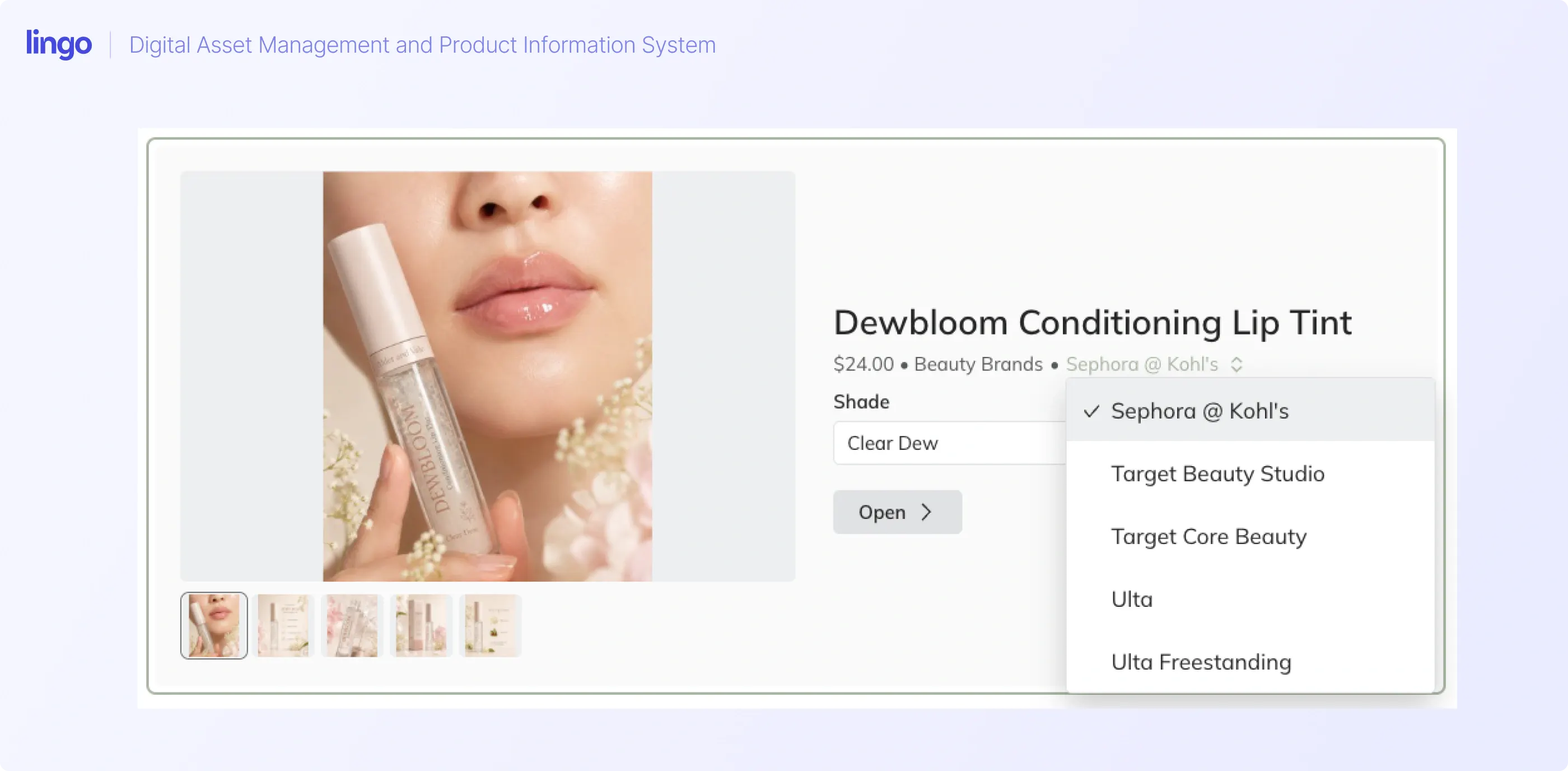
Here is how that could work for a fictional cosmetic brand selling a lip tint and lipstick through Target, Sephora, and Ulta. These retailers are examples of separate audiences in this walkthrough.
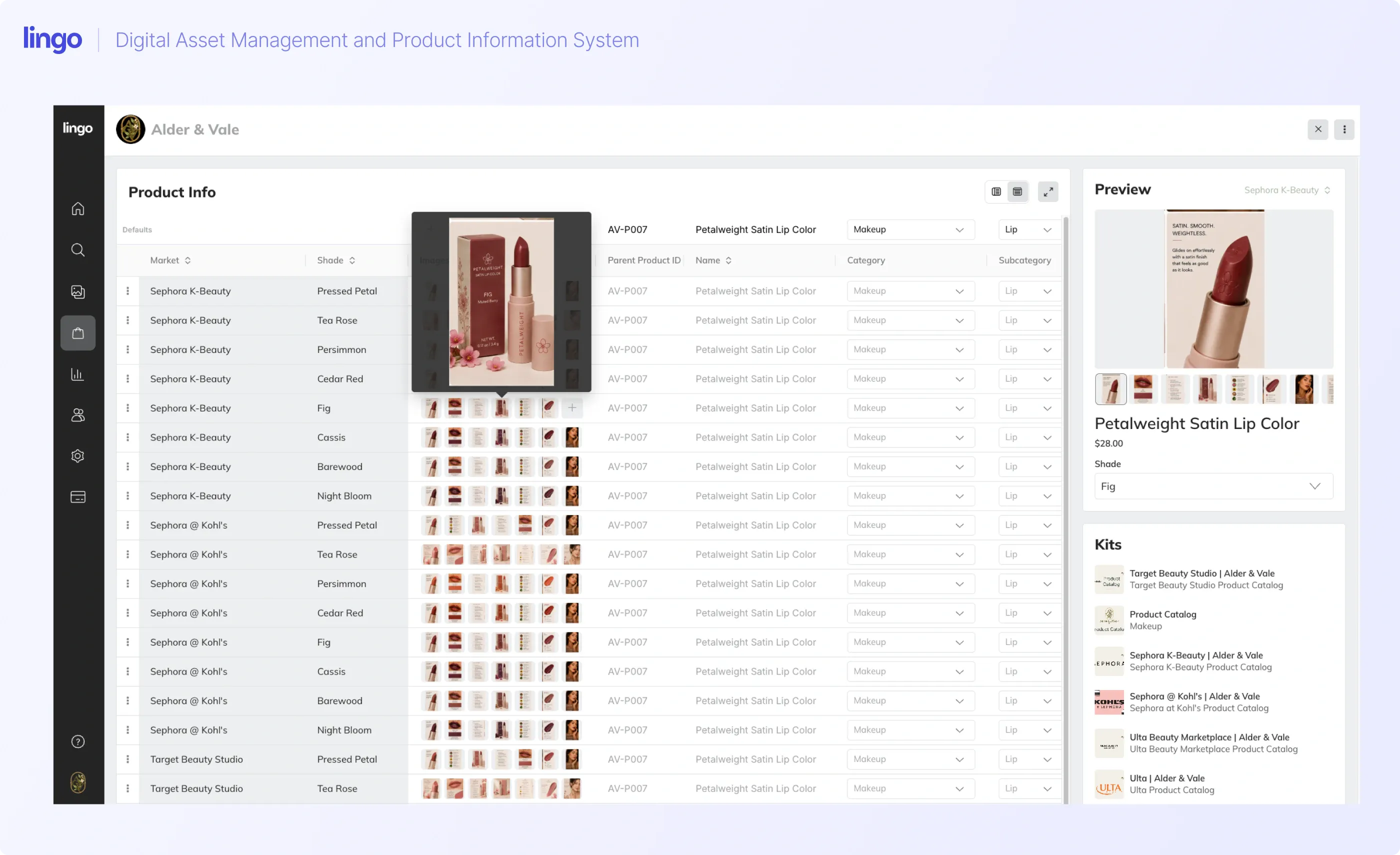
Add your photos to the Library, then use the same assets in your Product Catalog.
Lingo supports a single asset appearing in multiple Kits, with shared tags, custom fields, and notes. Updates to the source asset apply across its Kit references. This lets you maintain one asset instead of separately managing a fresh upload for every partner.
Be deliberate about reuse. A reference points to the same asset. An independent duplicate is a separate asset to maintain. If the image is meant to stay the same everywhere, reuse the original.
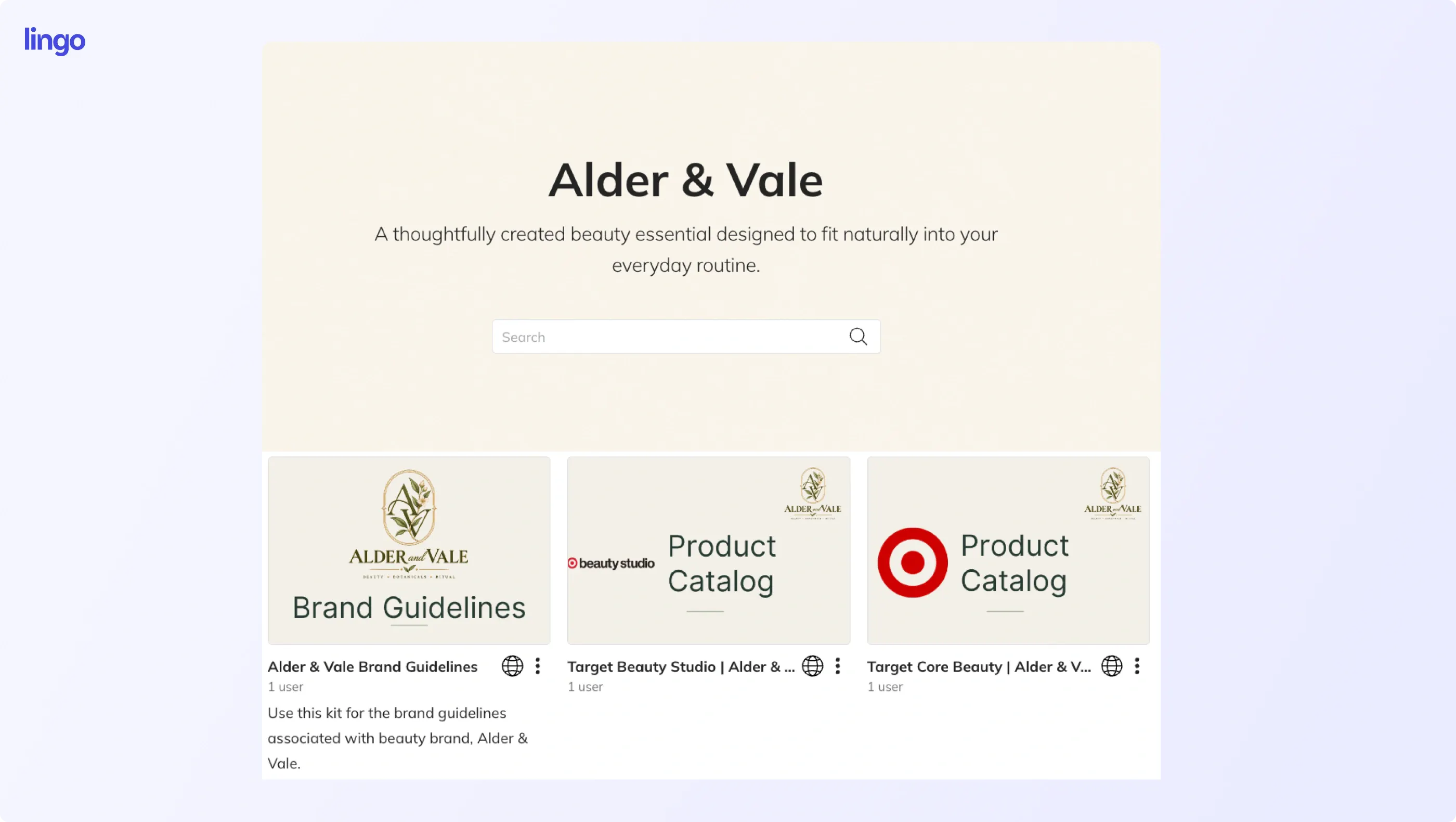
A Lingo Kit lets you present assets alongside guidance and other context. For the cosmetic brand, you could create:
Use names your partners will recognize. Add brief notes where someone might otherwise need to ask a question.
You might explain which image shows the current packaging, which photo is intended for a product listing, and which campaign materials apply to the partner's market.
A Lingo Portal brings relevant Kits together in one destination.
For the hypothetical Target Portal, include Kits from the examples shown above. Share the Portal link so the partner has one place to start.
This fictitious cosmetic brand portal can be found here.
Portals can be built for different retailers, choosing the content relevant to each retailer. A shared Brand Guidelines Kit can appear in all three, while other Kits reflect different products or campaigns at the retailer level. Lingo documents that the same Kit can belong to multiple Portals.
That gives you a way to reuse shared content while shaping each partner's experience.
A well-organized Portal only helps if the intended person can use it.
Lingo supports public, private, and password-protected Portal access. Choose the setup that fits your content and plan, then check how it works with the Kits inside.
For example, placing a private Kit inside a public Portal does not make that Kit public. A password-protected Portal behaves differently: its password grants access to the Kits it contains.
Go ahead and customize your link as it makes it easier for others to recall what it is. For example, the link for the Target brand partners for our fictitious cosmetic brand is https://alder-and-vale.lingoapp.com/.
Before sending a link, test the experience with the access your partner will use:
1. Open the Portal as the intended recipient.
2. Find a specific logo, campaign image, or product.
3. Check that the right files can be accessed and downloaded.
4. Confirm that unrelated or internal content is not available through that experience.
Then make the link part of the normal handoff. Put it in your partner's welcome materials and ask people to bookmark it.
When someone requests campaign photos, direct them to the relevant Kit or Portal. Explain what they will find there so the link feels helpful, rather than like another place to search.
Brand consistency extends to the words and details attached to a product.
A photo of new packaging paired with an old description creates a mismatch. So does an updated product listing paired with outdated pack dimensions.
Product information management, or PIM, is the work of keeping product details organized and ready to share. Lingo's product information management tools connect product data with assets and support custom product fields.
For the fictional cosmetic brand, think through the information different teams need:
Use this as a starting checklist, then agree on the fields your business and partners need. More often than not, the New Item Spreadsheet is an excellent place to start for the required fields. Build around the information people use to describe, sell, and ship the product.
Give fields clear names that align with the field names required by the retailers that host your product. As you create your products in your product catalog, consider the GS1 US's data quality resources that address data governance and the physical accuracy of product data, including resources on case dimensions. Fields are flexible so that what you put into your product catalog matches the requirements for product data needed elsewhere.
With Lingo, Products can be shared in Kits, so product information can sit within the same partner experience as brand guidelines and marketing materials.
A retailer can start at its Portal, open the relevant Product Kit, and use the accompanying guidance to understand how the brand wants its products presented.
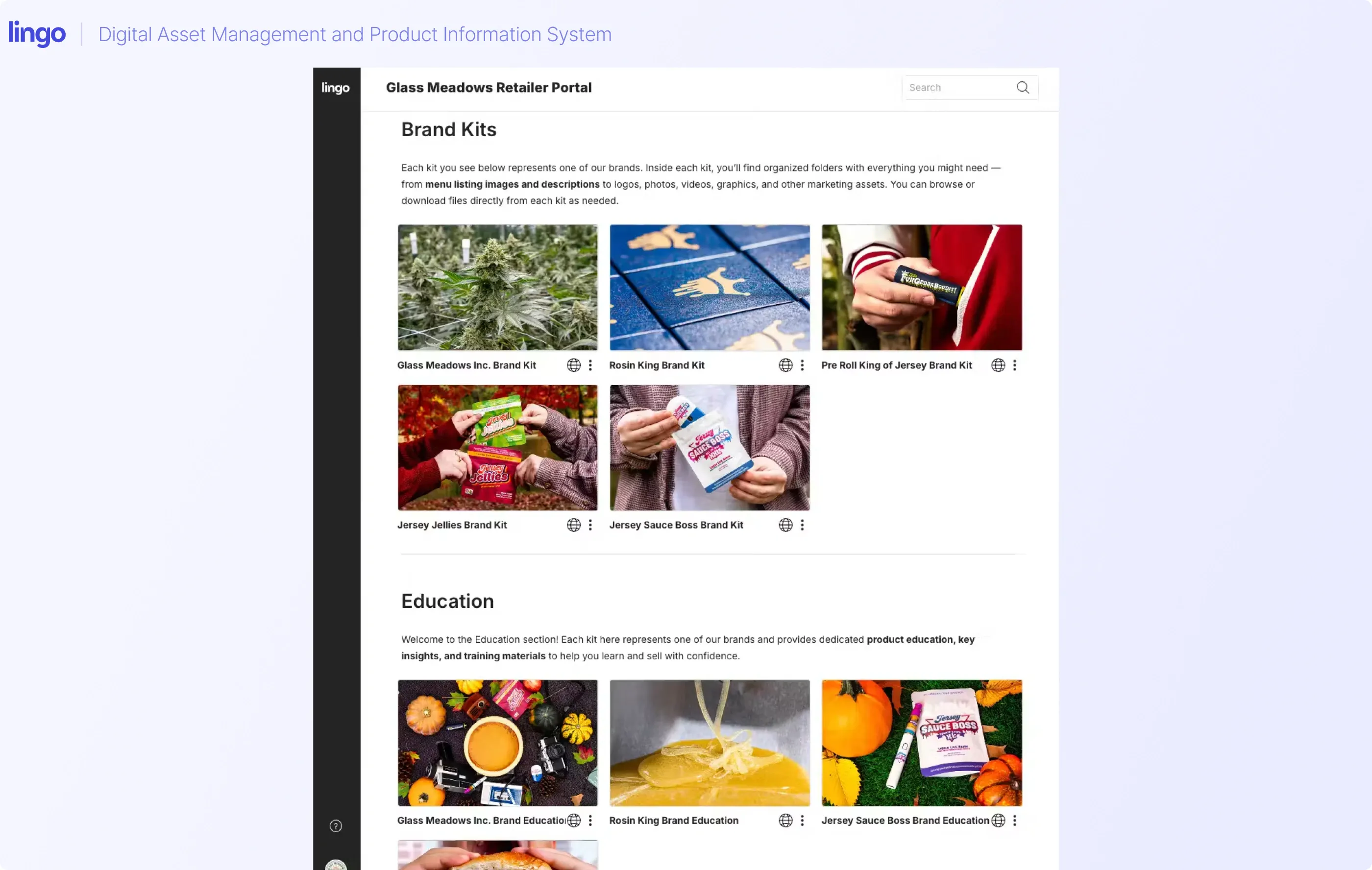
Lingo recently interviewed Katie Burrell at Glass Meadows, a cannabis brand in New Jersey. The team described moving beyond a shared Google Drive document as its product range grew. With roughly 50 product launches in one month alone, Burrell explained how the business uses Kits and Portals to share product information, downloadable assets, and training materials. This also created consistency with menu listings in dispensaries where their brand was sold.
The useful lesson is the structure: give partners the content and context they need in a place they can return to.
Once the catalog is in place, the next question is what happens when a product changes.
In Lingo, a Channel shows changes to the Products included in that Channel. Changes appear automatically in the Channel, and people you give access to your Lingo space can see them.
A Portal organizes access to content. A Channel helps you see product changes that need attention. Give the people handling those changes access to your Lingo space.
Consider a cannabis vendor. When they make changes to their product catalog, there are a number of dispensaries that need the update. Many of these dispensaries run off the same common point of sale software, so if you update the software, you update locations hosted on that software.
When your brand updates its promotional photos, revises the description, and changes its packaging, a notification appears in the respective Channels. The responsible person can review the updated information, download the images, and copy the details needed for the next step.
Channels can be organized to separate updates by retailer. For example, separate Channels can be created for Target, Ulta, and Sephora when you have a cosmetic brand to distribute.
Channels are available on Business plans and above with Lingo. The Product Catalog and Products in Kits are available on all plans.
A retailer's separate system may still need a manual update if they are not integrated with Lingo.
Make the handoff clear:
1. The responsible team updates the Product in Lingo.
2. The changes appear automatically in the relevant Channel.
3. The person handling the retailer update downloads the new images and copies the changed information.
4. That person replaces the files and details in the retailer's system.
5. They check the destination to confirm it matches the approved source.
Updating Lingo does not replace a photo already saved on a partner's desktop or change a listing in another system.
Also distinguish asset updates from a released Kit version. Lingo's Kit versions are snapshots, so use its release process when you need to share and recommend a new version.
Decide who keeps the content current and who acts on changes.
For example, the brand team could own guidelines and campaign assets. Product and operations teams could own specifications. A partner account manager could own the final update in an outside system.
Give each task a named owner. “The team will handle it” leaves room for an update to be missed.
Start with one partner, one useful set of content, and one real change. Ask the partner to find the current materials and complete the task they would normally contact you about. Note where they get stuck and improve the setup before expanding it.
For a franchise campaign, that might mean releasing new marketing materials and social images, explaining the promotion dates, and asking the local operator to replace old signage or scheduled posts. Access to the new file is one step. Using it correctly is another.
Before expanding the workflow, check:
You can also track your own baseline, such as repeat asset requests or the time needed to complete a product update. Use that to judge whether the new process is helping.
Include approved logos, guidelines, relevant campaign materials, and clear usage instructions. Add the products and information that the audience needs. Distributors may need product descriptions and dimensions; franchise locations may need local promotional files and campaign dates.
In Lingo, a Kit organizes content with guidance and context. A Portal groups Kits into a destination for an audience. For example, one retailer Portal could contain Product, Brand Guidelines, Photography, and Marketing Assets Kits.
Yes. The same Library asset can appear in multiple Kits. Reusing the asset keeps those appearances connected to the same source. Creating an independent duplicate gives you a separate asset to maintain. When you reuse the single asset in multiple locations, it also makes it easy to update the creative by simply replacing the original file.
A Portal gives an audience a place to access Kits. A Channel shows product changes automatically within Lingo to people with access to the space. The person responsible for an outside retailer system still needs to apply those changes in their system.
No. A downloaded file remains a separate copy. In the Channel workflow described here, a person downloads or copies the updates from Lingo and applies them in the retailer's system. Keep that task assigned to a clear owner. The only way Lingo would update files elsewhere is if they have a relationship with the original asset by way of a direct link.
You can make it easier for distributors and franchisees to represent your brand well. Start by giving them approved content they can find, guidance they can follow, and a clear way to handle updates.
Lingo brings that workflow together through reusable assets, Kits, Portals, Products, and Channels. Evaluate it with a real partner request and a real product change so you can see how it fits your team.
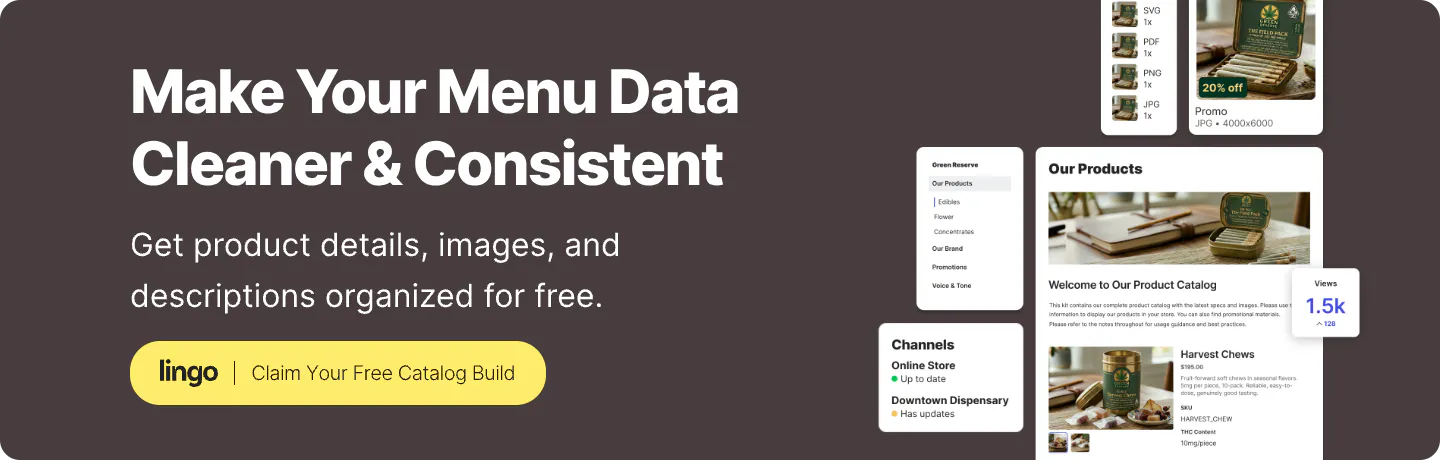
Start a free Lingo trial. If you are a retail or cannabis brand, request our Catalog Concierge service and we’ll help you build your product catalog during the trial. Tell us what you need to organize and share, and we can work with you on the setup.