Edward Boatman • Jul 29th
A new product is ready to launch.
The packaging is approved. The product photos are finished. The descriptions have been reviewed. Sales needs the sell sheet. Retail partners need menu images. The eCommerce team needs product details. A distributor needs the latest logo. A dispensary in Arizona needs one version, while a partner in New Jersey needs something slightly different.
So someone on the marketing team does what they always do.
They open Google Drive. Then Dropbox. Then SharePoint. Then an old spreadsheet. Then maybe a menu platform. Then Slack. Then email.
By the end of the day, the product is technically launched, but nobody is completely sure which image is approved, which description is current, which retailers have the latest files, or whether the menu content matches what is actually on the package.
That is the real reason cannabis brands need digital asset management.
Not because folders are annoying, although they absolutely are.
Cannabis brands need digital asset management because product content moves through too many people, platforms, markets, and partners for a basic folder system to keep up.
Cannabis digital asset management is the process of organizing, managing, and sharing approved brand assets, product media assets, product descriptions, menu content, sales materials, and market-specific files from one central system.
For cannabis brands, digital asset management is not just about storing logos and photos. It helps marketing and creative teams control how product and brand content is used across internal teams and third-parties.
A cannabis DAM helps teams answer questions like:
At its best, cannabis digital asset management becomes an operational system for distributing approved product content. It gives teams one place to organize the assets, product information, usage guidance, and external sharing workflows that keep the brand consistent across every market and partner.
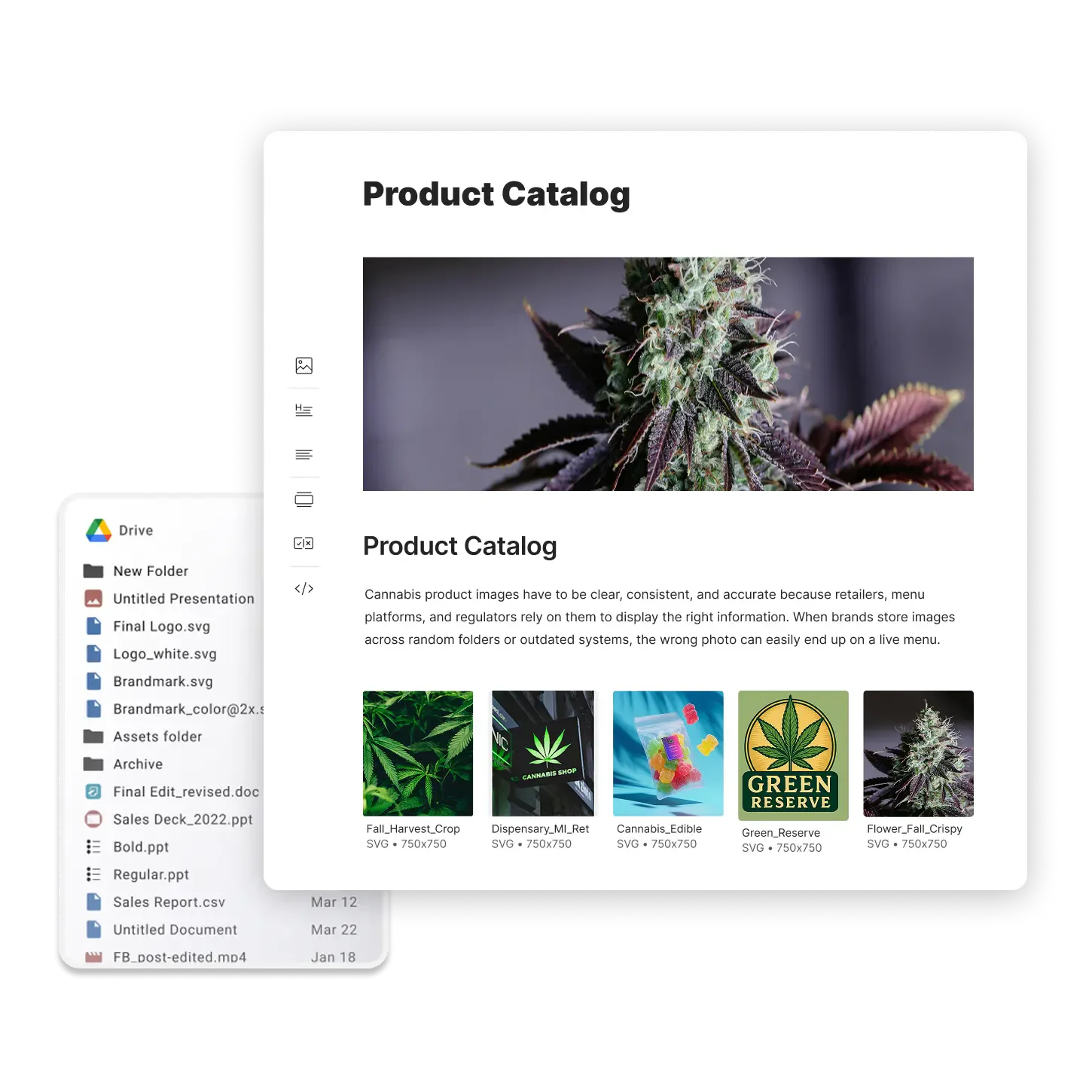
Most cannabis brands start with whatever storage solution is easiest. Google Drive and Dropbox are the go-to’s for images and PDF’s. Overtime, partners and retailers need it so you try a SharePoint link, before email attachments become the norm. Then your catalog gets bigger so you need a spreadsheet to tell you when things are updated and you end up sharing that spreadsheet and assets over DM’s, text messages, email, and more.
Then the brand grows SKUs or states. That’s when the trouble really amplifies.
More products. More states. More dispensaries. More agencies. More menu platforms. More sales reps. More people asking, “Do we have the latest version of this?”
The folder system that felt simple at first starts creating problems. For example:
The biggest issue is not just organization. It is trust.
When assets live in scattered folders, every file becomes a question mark. Is this still approved? Is this the right version? Is this for the right market? Is this the right image for the right SKU? Is this the correct copy for this state?
That uncertainty slows everyone down.
Marketing teams lose time answering repeat asset requests. Creative teams get pulled back into old campaigns. Retailers may upload the wrong content. Menu platforms may receive outdated descriptions. Distributors may keep using last quarter’s sell sheet.
And because cannabis teams are often lean, there is rarely a dedicated person whose only job is to babysit every asset, menu, partner, and platform.
A digital asset management system gives teams a better way to manage the chaos before it becomes the normal way of working.
Every industry has asset management problems. Cannabis just has a more complicated version of them.
A food and beverage brand might need to share product photos, retailer sell sheets, and campaign assets. A CPG brand might need to send packaging images to distributors or eCommerce partners. A wholesale brand might need to keep external partners aligned on approved content.
Cannabis brands deal with all of that, plus additional complexity.
First, assets need to be distributed, often, to retailers that do not have sophisticated processes or systems in place for automated updates. Since it’s a manual process, menu updates might be handled by someone in a corporate office, or the budtender working the counter—it varies widely.
Second, products vary by state. Since the packaging rules may change, product images may need to be updated for compliance reasons. Coupled with the fact that there is no one industry standard for a menu platform and they may each use different field structures, it makes it easier for information to be miscommunicated. Retailers have the ability to override brand-supplied content and the dispensary staff can’t always tell what is current versus incorrect.
In practice, it looks a bit like this:
That is why a generic file storage system usually breaks down.
Cannabis teams do not just need a place to put files. They need a way to manage approved product content across a messy downstream ecosystem.
When people hear “digital asset management,” they usually think about files.
Logos. Photos. Videos. Sell sheets. Packaging renders. Brand guidelines. Social graphics. Presentation decks.
Those matter.
But in cannabis, the file is usually connected to something bigger: the product.
A product image is not useful unless the team knows which product it belongs to. A menu render is not useful unless it matches the right SKU, state, size, flavor, strain, or package. A product description is not useful if it is sitting in a spreadsheet that nobody trusts.
That is why cannabis digital asset management often overlaps with product content management.
A cannabis brand may need to organize:
In a basic folder system, those pieces usually live in separate places. Your storage solution of choice contains the images and PDFs; the descriptions for those images live in a Google Doc or Google Sheet. This setup gets really tricky, especially when you have brands that bridge different states.
A better DAM workflow connects those pieces so teams can understand the full product story in one place.
That is the difference between storing assets and managing approved product content.
A cannabis DAM should help your team do four things well:
The first job of a DAM is simple: give your team one trusted place to find approved content.
That includes all things related to the brand: logos, colors, fonts, brand guidelines, photography, packaging files, campaign creative, social assets, sales decks, sell sheets, product videos, retail displays, and menu images.
But centralizing assets does not mean dumping everything into one giant folder.
A useful DAM helps teams organize assets with metadata, custom fields, galleries, permissions, distribution, and search. That means a regional marketer, sales rep, agency partner, or wholesale contact can find what they need without asking the marketing team to resend it.
For cannabis brands, this matters because the same asset may need to be presented in different ways.
A logo might appear in a brand guideline kit, a retailer brand portal, a press kit, and a sales enablement kit. A product image might be used in a menu kit, a launch kit, and a distributor-facing portal. The asset should be managed once, then reused wherever it needs to appear.
That reduces duplication and lowers the risk of old content floating around.
This is where cannabis DAM starts to become more than file storage.
A brand does not just need to know where the image is. It needs to know what the image belongs to.
For example, a cannabis beverage brand may need to manage product name, flavor, package size, market availability, approved product photo, menu image, product description, sell sheet, case counts, social launch assets, distributor materials, and retailer education content.
A flower brand may need to organize product assets by strain, lineage, category, package size, state, THC range or batch-related details, packaging version, menu image, and retailer-facing description.
A vape brand may have even more variation by flavor, size, state, product line, and retailer requirements.
A strong cannabis DAM workflow should help teams connect product media assets with the product information that gives them meaning. That does not mean every cannabis brand needs a heavy enterprise Product Information Management, or PIM. But it does mean brands need a more structured way to manage product-related content than folders and spreadsheets alone can offer.
Cannabis marketing teams rarely manage assets for internal use only and they are constantly sharing content with others. The issue is they are sharing the content: links to shared folders, typed into email, and attachments in emails. That’s not scalable when you have a number of dispensaries to communicate with.
A folder link does not explain what the asset is for. It does not always show which file is approved. It does not provide brand guidance in context. It may expose too much. It may not show enough. It may get copied, downloaded, or ignored.
A better external sharing workflow lets teams create curated spaces for specific audiences. For example:
The goal is not to make people dig through your entire asset library.
The goal is to give each audience a clear, branded, self-serve place to find exactly what they need.
Cannabis changes fast.
A product gets renamed. A package changes. A description is updated. A strain changes. A state policy goes into effect. The changes in cannabis are quick, are unforgiving, and can be quite costly if the brand and the dispensaries are not compliant.
If your team is still sending static folders, every change creates more follow-up.
You update the image, but does everyone know? Did the sales team download the new version? Did the retailer replace the old one? Did the menu platform receive the updated file? Did the agency stop using the outdated logo?
A DAM helps by giving teams one source of truth. When the approved asset is updated centrally, teams and partners can be directed back to the current version instead of relying on old downloads, random attachments, or stale folder links.
The more markets, brands, and partners you have, the more expensive version confusion becomes.
Say a cannabis brand is launching a new infused beverage in Arizona and California.
The product is part of the same brand family, but the assets and details are not identical across markets. Packaging differs slightly. The menu description needs to be adjusted. The sales team needs a launch kit. Retailers need product images. Budtenders need a simple explanation of what makes the product different. And all these things might need to be public or private.
Without a DAM, the workflow might look like this:
That process technically works, but it is fragile.
With a cannabis DAM workflow, the process can become much cleaner. For example:
The difference is that the team has a repeatable operating system for getting approved content from the brand to everyone who needs it.
A good cannabis DAM should support both brand-level and product-level content. For example:
Examples: Logos, colors, fonts, brand guidelines, photography
Why it matters: Helps internal and external teams represent the brand correctly
Examples: Product photos, packaging renders, menu images, videos
Why it matters: Keeps product listings, sales materials, and retail content accurate
Examples: Menu descriptions, wholesale descriptions, short and long copy
Why it matters: Reduces copy/paste errors across menus and partner platforms
Examples: Sell sheets, pitch decks, launch kits, retailer one-pagers
Why it matters: Gives sales teams current content without repeat requests
Examples: State kits, regional campaigns, localized packaging, market notes
Why it matters: Prevents the wrong content from being used in the wrong market
Examples: Distributor kits, retailer portals, agency folders, press kits
Why it matters: Makes brand asset sharing more controlled and self-serve
Examples: Budtender training, brand story, product explainers, usage guidance
Why it matters: Helps retail staff understand and sell the product more confidently
Examples: Approved packaging, required documentation, market-specific notes
Why it matters: Helps teams avoid confusion around regulated content
Not every brand needs all of this on day one.
The important thing is to build a structure that can grow with the business. A single-state brand with 30 products may only need basic product kits and retailer portals. A multi-state operator with hundreds or thousands of SKUs will likely need more structured product information workflows, market segmentation, and external distribution processes.
A cannabis brand usually does not wake up one day and decide it needs new marketing software.
The need shows up in small, annoying ways first. Constant disruptions to your marketing team for files and descriptions. Chasing down dispensaries to update out-of-date content. Or even preemptively knowing the brand is launching new brands, SKU’s or going from a single-state operation to an MSO.
You may need a cannabis DAM if:
That last point matters more than teams realize.
Brand guidelines are not very useful if they are separated from the assets people need to use. A PDF can explain the rules, but a digital brand guideline system can put the rules next to the actual logos, colors, fonts, templates, product images, and examples.
For cannabis brands, this is especially valuable when external partners need to represent the brand accurately.
A retailer should not have to guess which logo to use and a distributor should not have to ask for the latest sell sheet. These should all be simple to autonomously find.
It is easy to lump every tool together, but Google Drive, a DAM, and a traditional PIM are not solving the same problem. In fact, a DAM is a good alternative for Google Drive, but a PIM is not an alternative for either. A PIM works in conjunction with a DAM.
Best For: Storing and sharing files in folders
Where it falls short for cannabis brands: Limited context, weak brand guidance, hard version control, messy external sharing
Best For: Managing, organizing, and distributing approved assets
Where it falls short for cannabis brands: May not handle product information workflows flexibly enough for cannabis
Best For: Managing structured product data
Where it falls short for cannabis brands: Can be too rigid, expensive, or disconnected from creative assets and external sharing
Best For: Connecting approved brand assets, product media, product content, and partner distribution
Where it falls short for cannabis brands: Requires thoughtful setup and ongoing ownership
Many cannabis brands do not need a huge enterprise software rollout, but they do need something practical and easy-to-use.
They need a system that gives marketing and creative teams control over approved assets, while also helping sales, retailers, distributors, agencies, and menu-related workflows get the right content faster.
That is why affordable DAM tools can be a strong fit for cannabis brands that have outgrown folders but are not ready for a heavy enterprise DAM or traditional PIM implementation.
The right digital asset management platform should match the way cannabis teams actually work. For example, s few cannabis challenges include:
DAM capability to look for: Central asset library
Why it matters: Gives teams one trusted source for approved content
DAM capability to look for: Tags, custom fields, product grouping, market-specific organization
Why it matters: Helps prevent state or product mix-ups
DAM capability to look for: Curated kits or portals
Why it matters: Makes external sharing cleaner and more controlled
DAM capability to look for: Digital brand guidelines with assets and context together
Why it matters: Helps partners use assets correctly
DAM capability to look for: Self-serve sales enablement kits
Why it matters: Reduces manual asset chasing
DAM capability to look for: Product content workflows
Why it matters: Helps teams connect product assets with descriptions and menu materials
DAM capability to look for: Updateable shared links
Why it matters: Keeps partners connected to current content
DAM capability to look for: Asset and portal insights
Why it matters: Helps marketing see what people actually access
DAM capability to look for: Right-sized pricing and setup
Why it matters: Avoids overbuying software built for massive enterprise teams
DAM capability to look for: Simple admin and visual organization
Why it matters: Makes the system usable without a dedicated DAM manager
The best system is not always the one with the longest feature list.
For cannabis brands, the best system is usually the one your team and partners will actually use.
Lingo is a right-sized digital asset management platform for cannabis brands that need more control than Google Drive, Dropbox, SharePoint, or scattered folders can provide, but do not need a heavy enterprise DAM rollout.
For cannabis teams, Lingo brings together several workflows that often get split across separate tools:
The core idea is simple: your team manages assets in a central Library, then presents and shares them through Kits and Portals.
That matters because cannabis teams rarely share raw files without context, and they need the ability to share many files all at once.
A product needs both images and a description. Product catalogs may need to be filtered by state, brand, retailer, or market. And a retailer may need menu assets, while a budtender may need education content.
Lingo helps teams package those materials in a way people can actually understand and use.
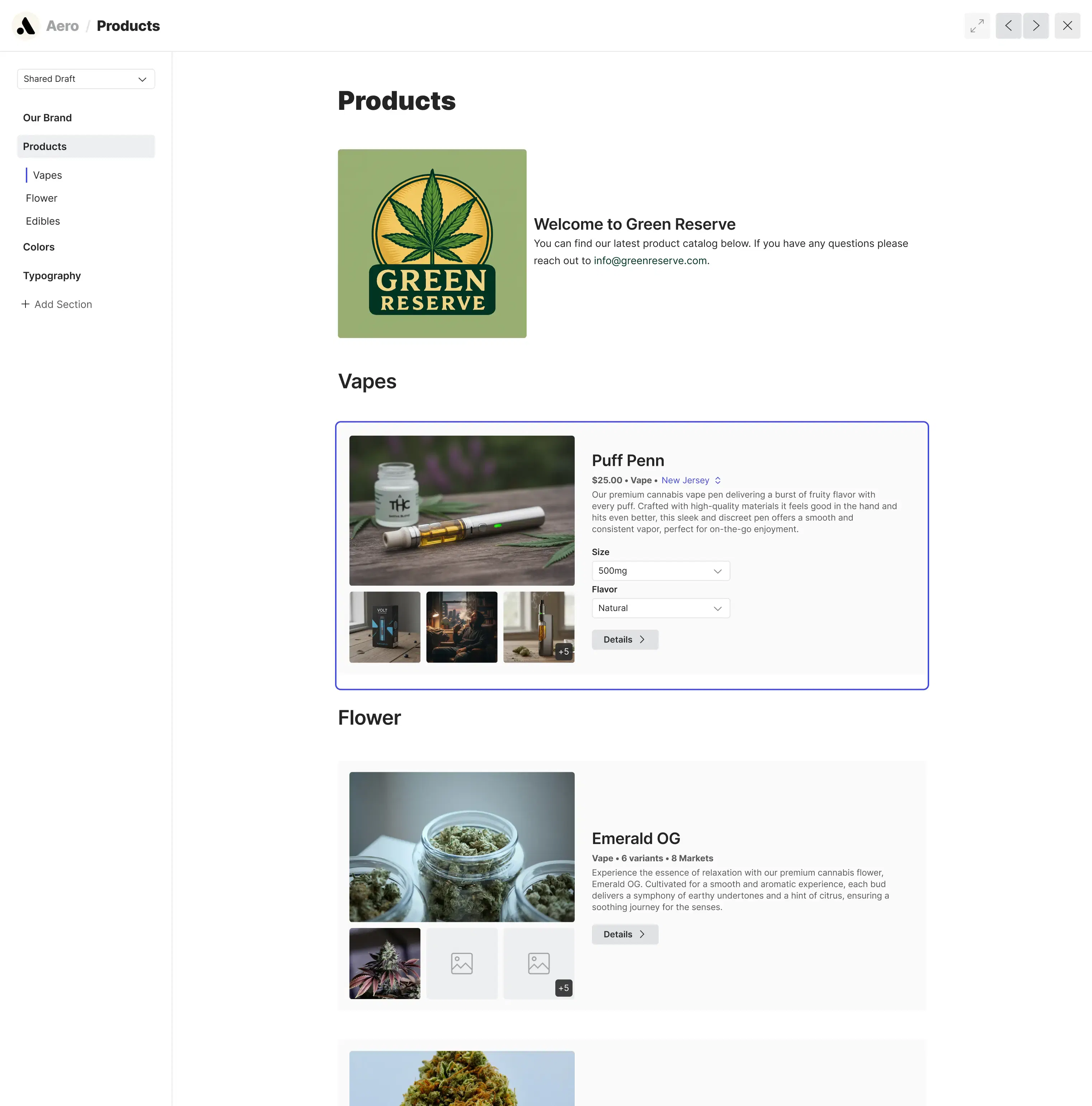
For example, a cannabis brand could use Lingo to create:
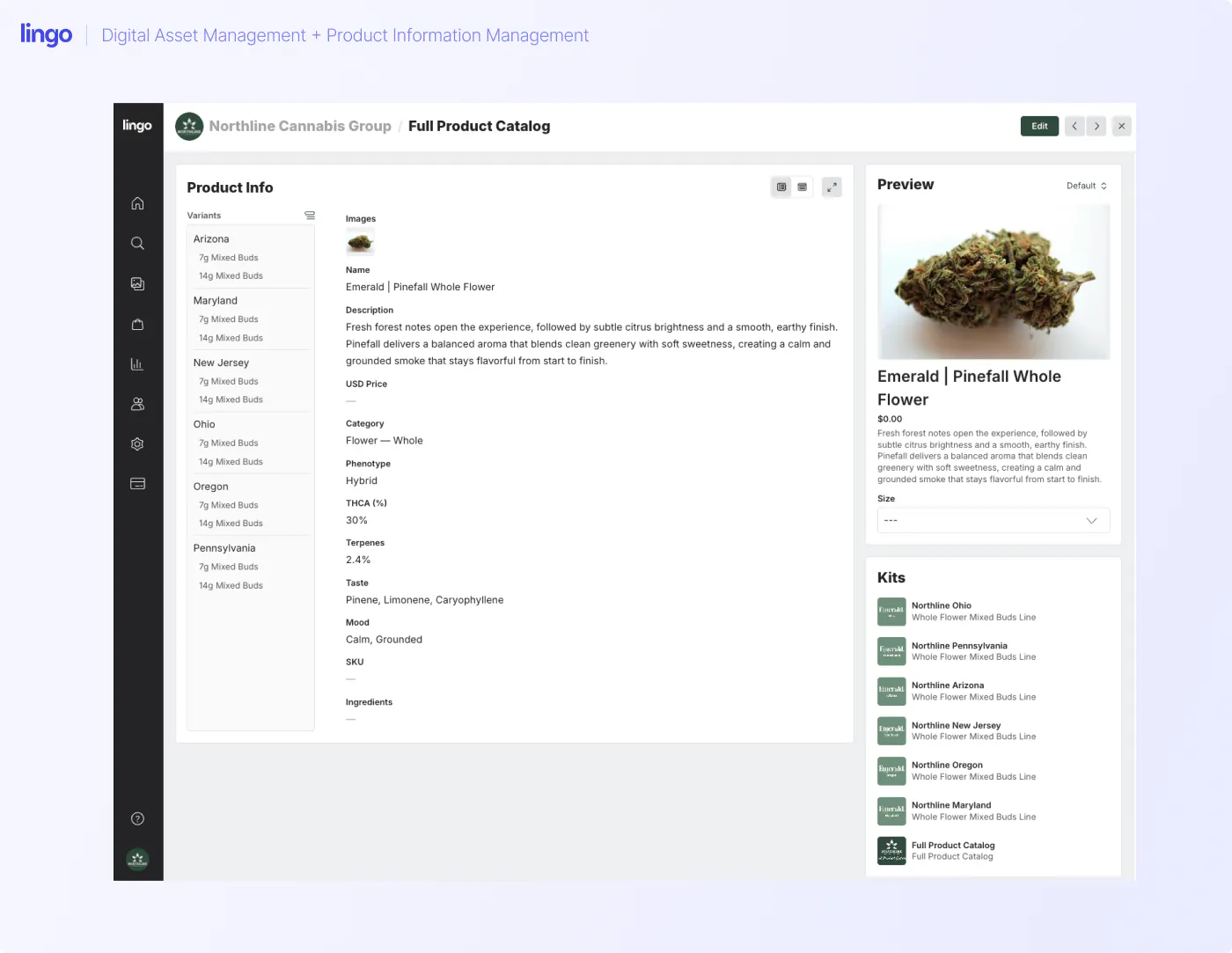
Lingo’s Products feature also gives teams a more structured way to connect product-related assets with product information. Instead of forcing product content into notes, folders, or spreadsheets, teams can begin organizing product assets and supporting details in a format that better reflects how cannabis products actually move through markets.
This is especially useful for cannabis brands because product content is rarely one-size-fits-all. A brand may need to manage products across multiple states, retailers, formats, sizes, flavors, descriptions, images, and downstream destinations. Traditional product information systems can be too rigid or too complex for that reality. Lingo’s product information workflows are designed to give teams more flexibility while keeping assets, product content, and distribution connected.
That does not mean Lingo needs to replace every system in your cannabis tech stack.
It means Lingo can become the central place where approved product content is organized, managed, and shared before it moves into sales conversations, retailer relationships, menu workflows, agency projects, or partner channels.
Many cannabis brands eventually run into a problem that feels small at first but becomes a major time drain: menus are wrong.
When a dispensary uses an outdated image, a retailer rewrites a product listing, or one menu platform shows a different description than another, the brand loses control over how its products are represented. Those inconsistencies can weaken brand value, hurt search visibility, make products harder to find, and create confusion for shoppers looking for a specific cannabis brand or product.
Fixing those issues is often called menu remediation.
Menu remediation is the process of auditing, correcting, and updating product listings across retailer menus, eCommerce menus, wholesale platforms, and other downstream systems.
A DAM does not magically control every external menu. Retailers and platforms still have their own systems and processes.
But a cannabis DAM can make menu remediation much easier by giving teams a trusted source for:
A cannabis DAM gives retailers, sales teams, and menu partners a much better starting point. Instead of sending a folder full of files and crossing your fingers, the brand can share a curated kit with the approved images, descriptions, and usage context all in one place.
It will not magically fix every manual step. Retailers and menu platforms still have their own workflows, and some updates will always need a little chasing. But when the source content is clean, current, and easy to access, every downstream handoff gets easier. When the source content is messy, the mess travels with it.
Brand asset sharing sounds simple until every partner needs something slightly different. Sales may need the latest sell sheet, a retailer may need packaging images for a menu update, an agency may need logo files and usage rules, and a state-specific partner may need product photos that are approved for one market but not another.
When those requests are handled one by one, asset sharing becomes a hidden tax on the marketing team.
If your team handles every request manually, asset sharing becomes a hidden tax on marketing.
A DAM reduces that tax by making approved content self-serve and displaying which retailers are in sync and up-to-date and which are not.
The key is not just sharing files. It is sharing files with enough context that people use them correctly. For example:
This is where digital brand guidelines become especially useful.
Cannabis brands often need external audiences to represent the brand correctly. Agencies, distributors, retailers, vendors, and local teams all touch the brand in different ways. If the rules live in one place and the assets live somewhere else, mistakes happen.
By putting assets and guidance together, a DAM makes it easier for people to do the right thing.
Before choosing a digital asset management platform, it helps to look at your actual workflow.
Not the perfect workflow. The real one.
Ask questions like:
If the answer is “it depends,” that is a sign your team may need a central Library.
Sales? Agencies? Retailers? Distributors? State teams? Menu partners? Those audiences should shape how your DAM is organized.
If yes, you need a system that can support market-specific organization and avoid accidental crossover.
If product images live in one place and descriptions live somewhere else, your workflow is more fragile than it needs to be.
The more often you update partners, the more important it becomes to use live, curated sharing links instead of static folders.
If partners have to download a PDF, hunt through folders, and guess which files match the rules, your guidelines are not close enough to the work.
Some brands do. Many cannabis brands do not. If your team is lean, look for an affordable DAM tool that is easy to manage and practical for day-to-day use.
A simple setup may work today, but make sure it can grow as you add brands, states, retailers, product lines, and external partners.
There is no single perfect structure for every cannabis brand, but most teams can start with a simple model.
Use your Library as the home base for approved assets. This is where your team should know they can find the current version of a logo, product image, packaging render, sell sheet, campaign file, brand guideline, or other content that has been cleared for use.
The structure should match the way your team actually searches. For a cannabis brand, that might mean organizing assets by brand, state, product type, market, campaign, retailer, or approval status. The goal is not to tag everything just because you can. It is to make the right asset easy to find when someone needs it.
Create a kit for each brand or major product family so people do not have to piece the brand together from scattered files.
A strong brand kit should give teams and partners the essentials: what the brand stands for, how it should look, how it should sound, and which assets are approved to use. That may include logos, visual guidelines, photography, product line details, messaging, and downloadable files.
The goal is to help someone understand the brand before they grab an asset and use it somewhere public.
For each product launch, create a kit that gives sales, retailers, and partners everything they need to represent the product correctly.
That kit should connect the approved product visuals with the supporting content around them. Think product descriptions, menu-ready assets, packaging images, sell sheets, retailer talking points, budtender education, social content, and any market-specific notes that help people use the materials correctly.
This is especially useful when a launch involves multiple states, retailers, or partner teams. Everyone gets the same source of truth, but with the context they need to actually use it.
If your brand operates in multiple states, give each market its own clear place to find approved content.
A state or market portal can help separate what is approved for Arizona from what is approved for New Jersey, Ohio, Massachusetts, or any other market you serve. That might include localized product kits, menu assets, sell sheets, retailer materials, campaign content, or regional instructions.
This makes it much easier for teams and partners to find the right materials without accidentally pulling assets meant for another state.
For people outside your company, create portals that are built around what they actually need to do.
A retailer should not have to sort through agency files. A distributor does not need the full press kit. A vendor may only need specific product images, brand rules, or campaign materials. By creating separate portals for different partner groups, you can make sharing cleaner and reduce the chance that someone uses the wrong asset.
Each portal should feel focused, useful, and easy to navigate. The goal is to give partners enough context to move quickly without giving them a junk drawer full of files.
A DAM only works if someone owns the structure.
You do not necessarily need a full-time DAM manager, but you do need clear ownership.
Decide:
The goal is not to create more processes. The goal is to make the process obvious enough that people stop inventing their own workarounds.
Digital asset management for cannabis brands is the process of organizing, managing, and sharing approved brand assets, product images, menu assets, product descriptions, sales materials, and market-specific content from one central system. It helps cannabis teams keep product and brand content consistent across internal teams, retailers, distributors, agencies, menu platforms, and dispensaries.
Cannabis brands need digital asset management because their product content is used by people far beyond the marketing team. Sales reps, retailers, distributors, agencies, eCommerce teams, and dispensaries all need current, approved materials, but not always the same materials.
A DAM gives the brand one trusted place to organize and share that content, which helps reduce version confusion, repeat asset requests, incorrect menu content, and off-brand partner usage.
Google Drive can work for basic storage, but it often becomes difficult to manage as a cannabis brand grows. Folders do not provide enough context, brand guidance, product structure, external sharing control, or version confidence. Cannabis teams often outgrow Drive when they need to manage product media assets, menu descriptions, state-specific content, and partner-facing materials at scale.
Cannabis brands should use a DAM to store the approved content teams and partners rely on most. That usually starts with core brand assets, like logos and brand guidelines, then expands into product photos, packaging images, menu materials, sales content, campaign assets, and retailer or distributor resources.
For many cannabis teams, it also makes sense to include product descriptions, press materials, videos, and budtender education content. The goal is simple: make approved content easy to find, understand, use, and share.
DAM helps with cannabis menu remediation by giving teams one trusted source for current product images, descriptions, brand names, market-specific materials, and retailer-ready assets. While a DAM may not directly control every external menu, it makes it easier for teams to package and share the correct content with retailers, distributors, and menu-related partners.
A cannabis DAM manages the approved creative and brand assets people need to use, such as product images, packaging renders, logos, sell sheets, and brand guidelines.
A PIM manages the structured product information behind those assets. That includes details like product names, descriptions, variants, attributes, and market-specific information.
Cannabis teams often need these workflows connected because the asset and the product data usually travel together. A menu image needs the right product description. A sell sheet needs current product details. A retailer kit needs both the approved visuals and the context to use them correctly.
Cannabis brands should look for an affordable DAM that can handle both organization and distribution. At minimum, the platform should give your team a central place to manage approved assets, a simple way to organize content with tags or metadata, and a clean sharing experience for people outside the company.
From there, look for features that support the way cannabis teams actually work, such as digital brand guidelines, branded portals, permission controls, and product content workflows. The best tool should be flexible enough to manage real cannabis complexity without requiring a heavy enterprise rollout.
DAM supports cannabis branding by giving teams one trusted place to manage the brand materials people use most. That includes the visual identity, approved product imagery, messaging guidance, and rules for how the brand should show up in market.
This helps internal teams and external partners stay consistent whether they are building a menu listing, sales sheet, retailer page, social post, packaging update, or campaign asset.
Yes. A DAM can give cannabis sales teams one reliable place to find the materials they need before talking to retailers, distributors, or dispensary partners.
Instead of asking marketing for the latest sell sheet or pulling an old product image from a downloaded folder, reps can use a shared portal or kit with current, approved content. That keeps sales moving while reducing the risk of outdated materials making their way into the market.
Yes. Cannabis brands can use a DAM to share curated content with dispensaries, so partners have a clear place to find the materials they need for menus, product education, sales conversations, and launch support.
Instead of digging through folders or waiting for someone to reply to an email, dispensary teams can access approved product images, descriptions, brand guidance, and other relevant materials from one shared kit or portal.
Cannabis marketing teams do not need another place to drop files. They need a better way to move approved product content from the brand to the people and platforms that depend on it.
That might include a sales rep preparing for a retailer meeting, a distributor looking for current product materials, a dispensary updating a menu, or a budtender trying to understand what makes a product different. Each audience needs accurate content, but they also need enough context to use it correctly.
Digital asset management gives cannabis brands a central place to organize that work. When assets, product information, guidelines, and partner-facing materials are managed together, teams can reduce repeat requests, protect brand consistency, support menu accuracy, and make approved content easier to use.
The best place to start is not your entire asset library.
Start with the content your team gets asked for the most. If those assets are hard to find, hard to trust, or hard to share, that is where your DAM workflow can make the fastest impact.